

Overview
The Story Mention automation lets you automatically start a flow whenever a user mentions your profile in an Instagram Story.
From this mention, InfluenciMax identifies the interaction and runs the steps configured in the flow, allowing you to send Direct messages and continue the automation according to the defined strategy.
Video tutorial
Before you start
Before configuring the automation, make sure that:
- your Instagram account is correctly connected to InfluenciMax;
- you have access to the Automations area;
- the automation will be created for the correct Instagram account.
Step by step
- Create a new automation. Go to the InfluenciMax Automations area and choose the option to create a new automation.
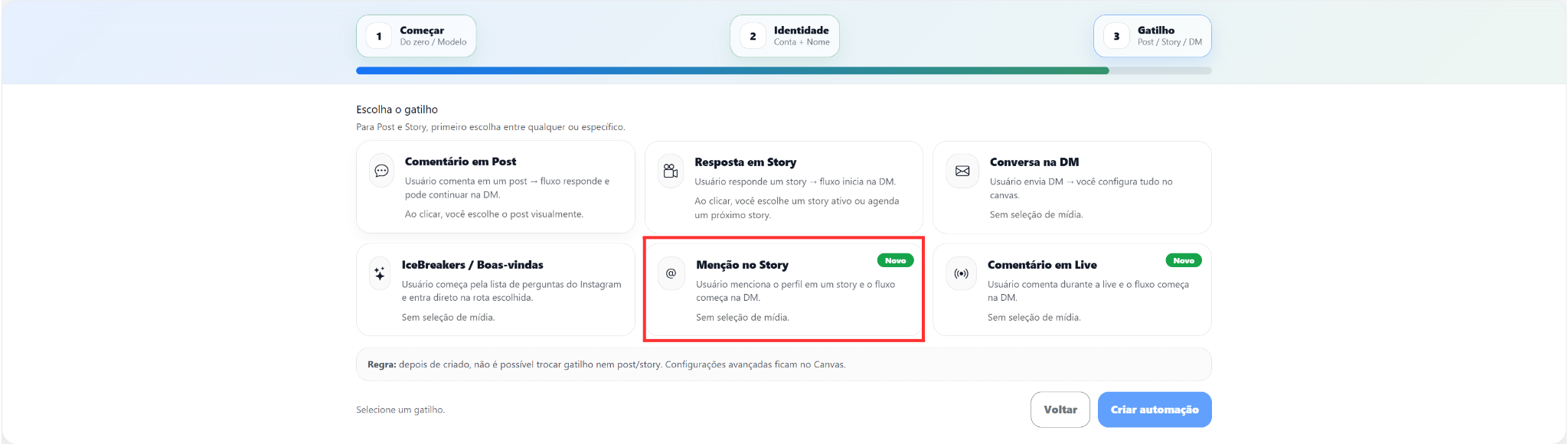
- Select Story Mention. When choosing the automation trigger, select Story Mention. This trigger starts the flow when a user mentions the connected profile in an Instagram Story.
- Configure the next step. After selecting Story Mention, continue building the flow by adding the actions that should occur after the mention. Depending on the automation structure, you can configure actions such as sending a Direct message, thanking the user for the mention, sharing a link, starting automated service, or directing the user to another step in the flow. The configured actions will run when a compatible new mention starts the automation.
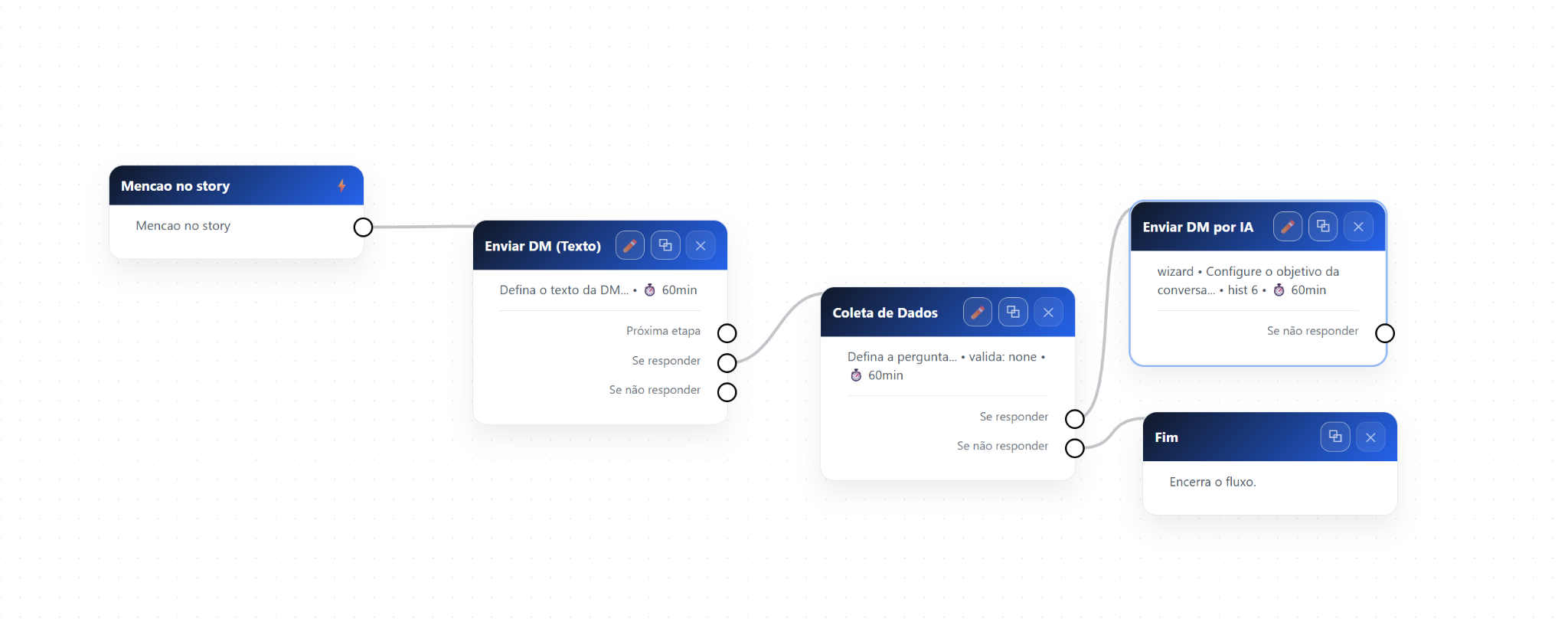
- Finish the automation. After configuring the desired steps, review the flow connections and connect the last step to the End block when applicable to the structure created. Save the changes and leave the automation ready to use.
How it works
When a user publishes a Story mentioning your profile:
- InfluenciMax identifies the mention;
- the corresponding automation starts;
- the actions configured in the flow are executed;
- the contact follows the journey defined in the automation.
This allows you to respond to mentions automatically without having to manually start each conversation.
Screenshots
The screenshots have been distributed across the corresponding steps: the first shows the Story Mention trigger selection and the second shows the configuration of the following actions in the flow.
If something does not work
The automation did not start
Check:
- whether the automation is active;
- whether the correct Instagram account is connected;
- whether Story Mention was configured as the flow trigger.
The message was not sent
Confirm:
- that there is a message-sending action after the trigger;
- that the connections between steps are correct;
- that the automation changes were saved.
The flow did not continue
Review:
- whether all required steps are connected;
- whether there are any disconnected blocks;
- whether the configured journey has a valid continuation through completion.
Expected result
With the Story Mention automation configured, when a user mentions the connected profile in an Instagram Story, InfluenciMax can automatically start the corresponding flow and execute the configured actions.
This keeps mention handling organized and reduces the need to manually start these interactions.