
Overview
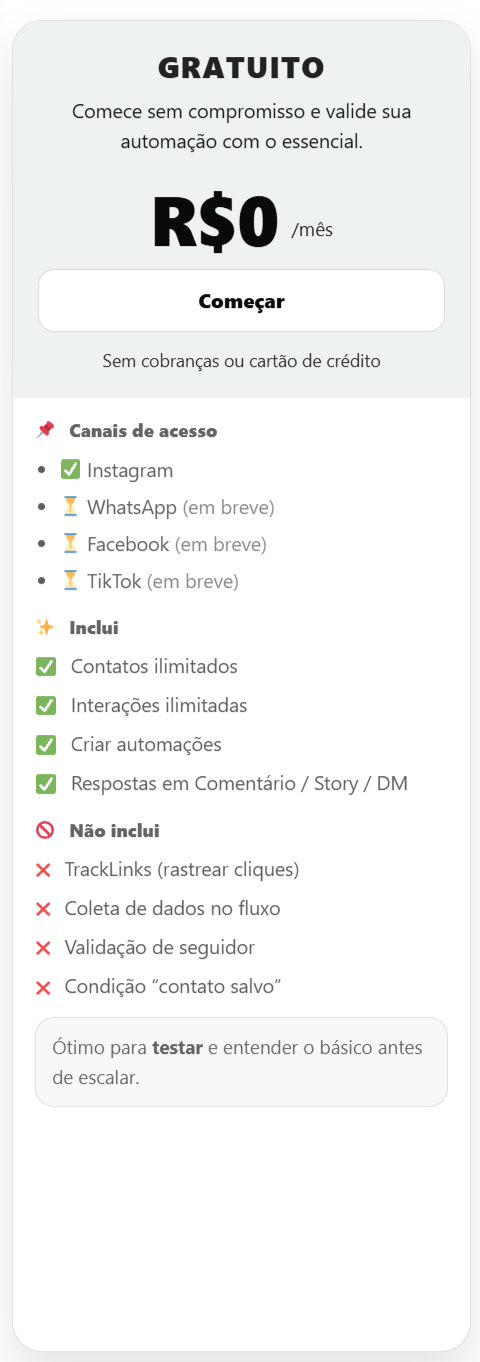
The InfluenciMax Free Plan is designed for users who want to start using Instagram automations, test the platform, and understand how flows work before moving to a more complete plan.
There is no monthly charge, and the plan provides the essential resources to create your first Instagram automations.
Video tutorial
Before you start
Before using the Free Plan, connect the Instagram account you want to use with InfluenciMax. The plan is intended for the essential Instagram automation features available in the platform.
What is included in the Free Plan
- Instagram as an access channel;
- unlimited contacts;
- unlimited interactions;
- automation creation;
- automatic replies to comments, Stories, and Direct Messages (DMs).
This allows you to set up basic automations and see in practice how Instagram interactions can start flows inside InfluenciMax.
What is not included
Some more advanced features are not included in the Free Plan:
- TrackLinks, used to track clicks;
- data collection within the flow;
- follower validation;
- the advanced “saved contact” condition.
These features become available according to the plan you subscribe to.
Who is the Free Plan for?
The Free Plan is recommended mainly for users who are getting started with InfluenciMax and want to understand how automations work before expanding their operation.
It lets you try the essential features and understand how comments, Stories, and Direct Messages can be part of an automation. As your strategy evolves and you need more automations, data collection, tracking, artificial intelligence, or advanced features, you can evaluate one of the higher-tier plans.
Step by step
How to get started
- Connect the Instagram account you want to use.
- Go to the Automations area.
- Create your automation.
- Choose the type of interaction that will start the flow.
- Configure the required replies and actions.
- Test the automation before using it with your audience.
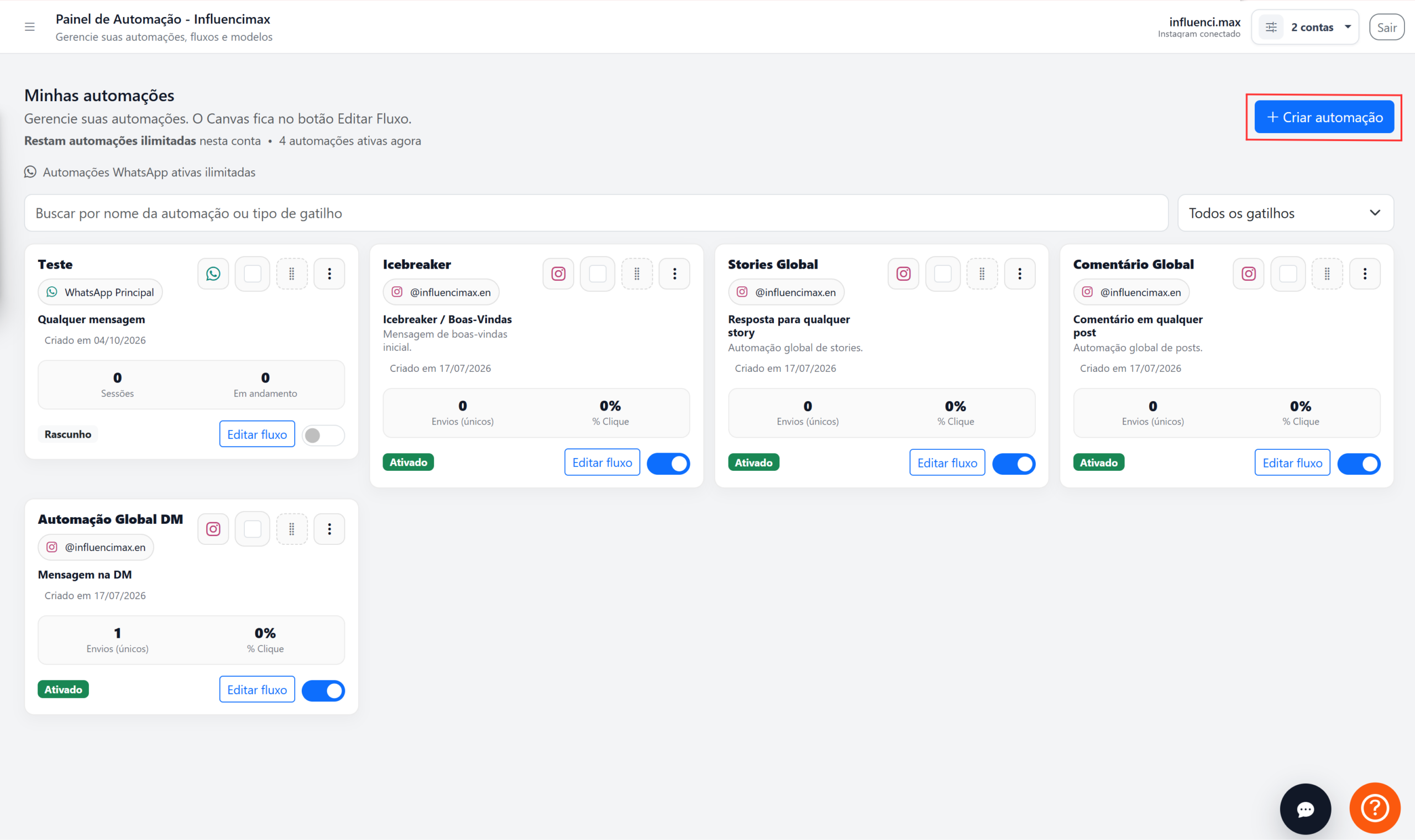
For specific configurations, see the automation tutorials available in the Help Center.
How to view or change your plan
To check your current plan and see the other available options, go to the Settings area of your account and review the plan information.
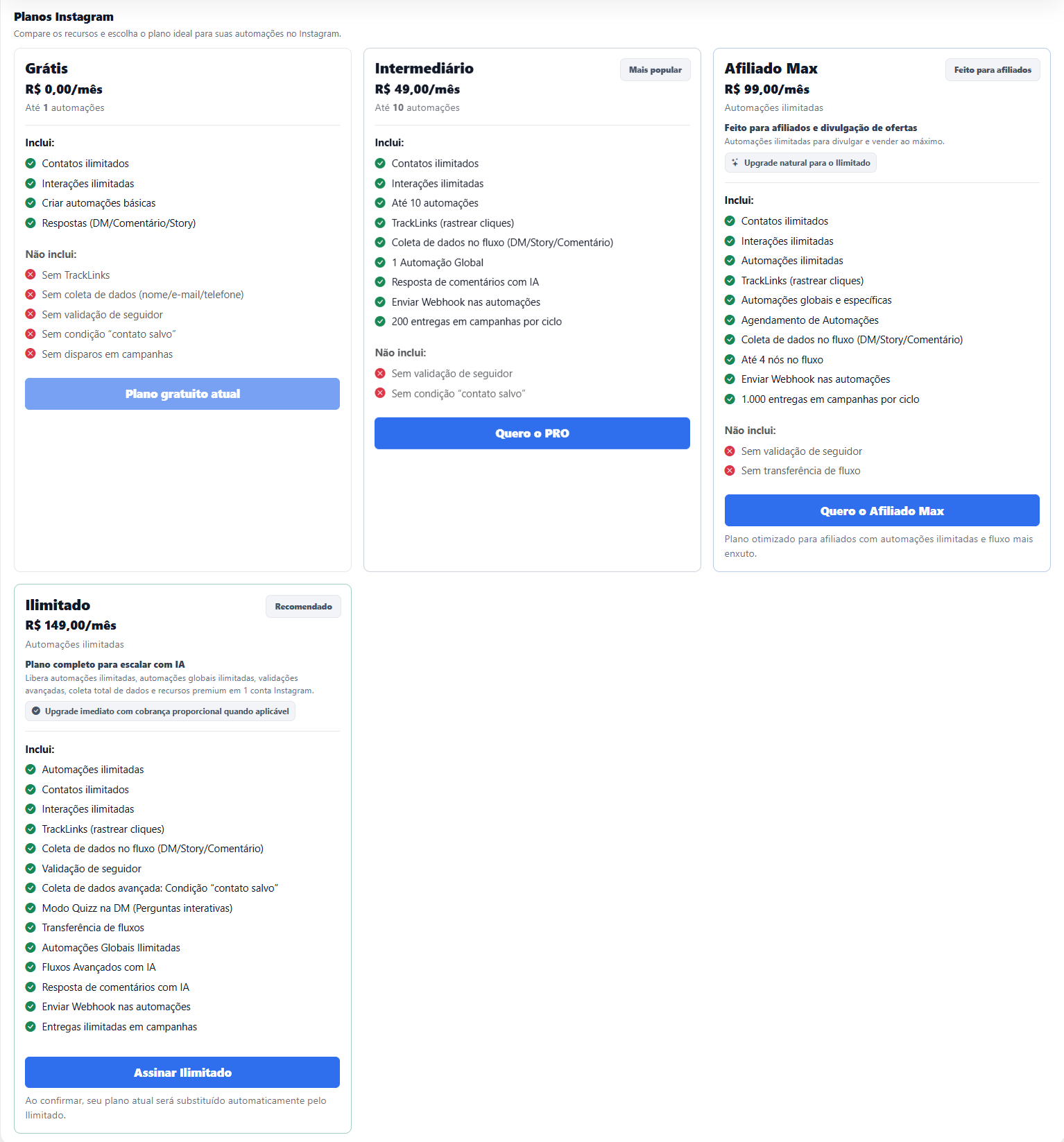
The current InfluenciMax plan structure for Instagram is: Free → PRO → Affiliate Max → Unlimited.
Each option expands the resources available for different levels of use.
Screenshots
The screenshots have been placed in the corresponding steps above to make the process easier to follow.
If something does not work
I cannot use a feature inside the automation
Check whether the feature is available on the Free Plan. TrackLinks, in-flow data collection, follower validation, and the “saved contact” condition are not included in this plan.
My automation is not working as expected
Make sure the Instagram account is connected correctly and review the flow settings before activating it.
I need features that do not appear in my account
Review the available plans to see which one provides the features required for your operation.
Expected result
With the Free Plan, you can get to know InfluenciMax and start creating basic Instagram automations without a monthly charge.
The goal of this plan is to let you test and understand the basics before scaling, while keeping unlimited contacts and interactions and using the essential automation features.