
Overview
In this tutorial, you will learn how to create your first automation in InfluenciMax quickly and efficiently. We will explore how to use pre-configured templates to save time and how to connect a message flow to a specific Instagram post using comment triggers.
Before you start
- Make sure your Instagram account is connected and active in the InfluenciMax dashboard.
- Define which post will be automated and choose the keyword that will trigger the automation.
Step by step
-
Access the Automations area: In the left-side menu, click on "Automations". Then click the "Create Automation" button in the top-right corner.
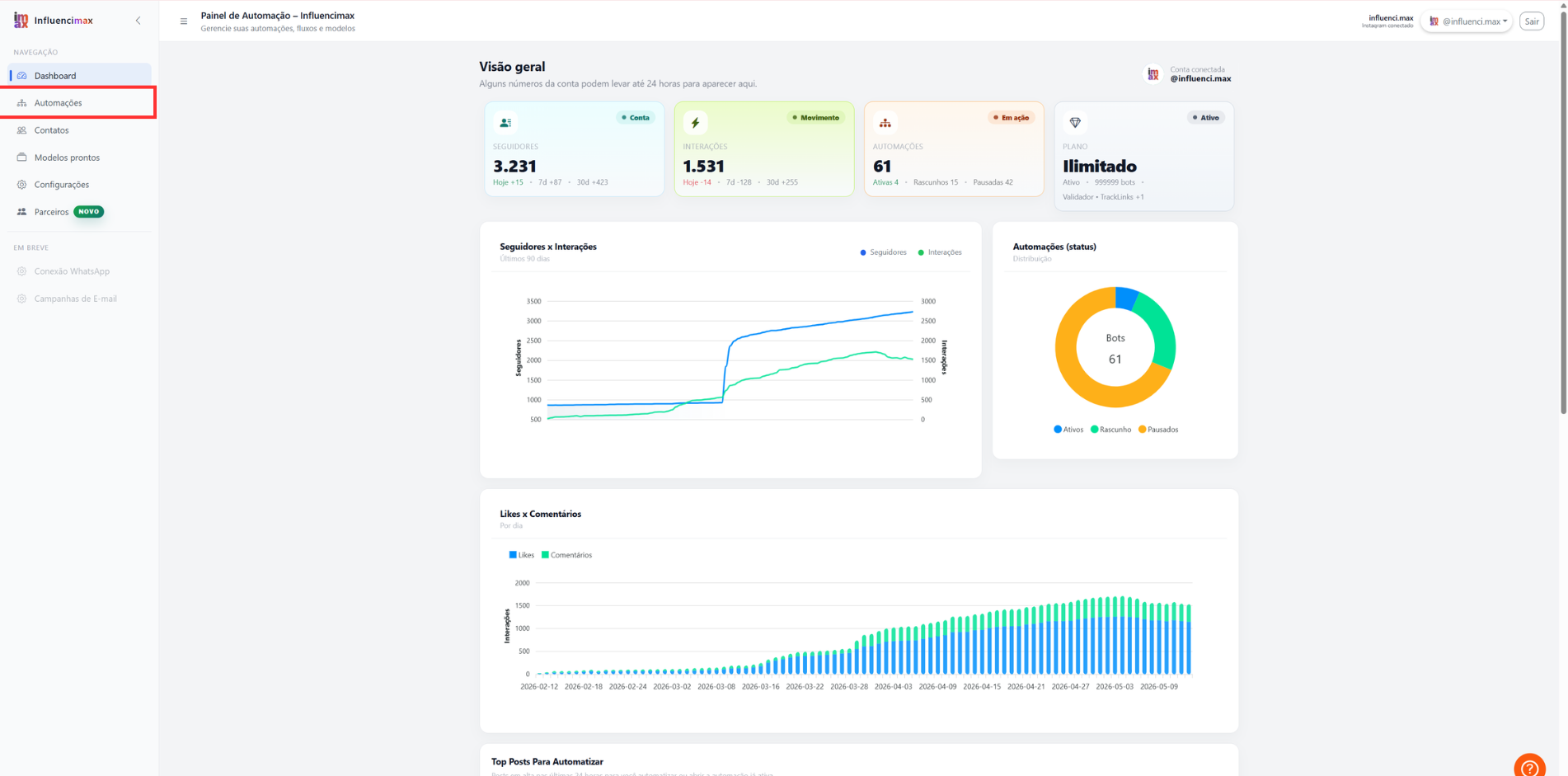
Open the automations section and click Create Automation to start a new flow. -
Choose a template: Browse the available templates and click "Use Template" on the option that best fits your goal.
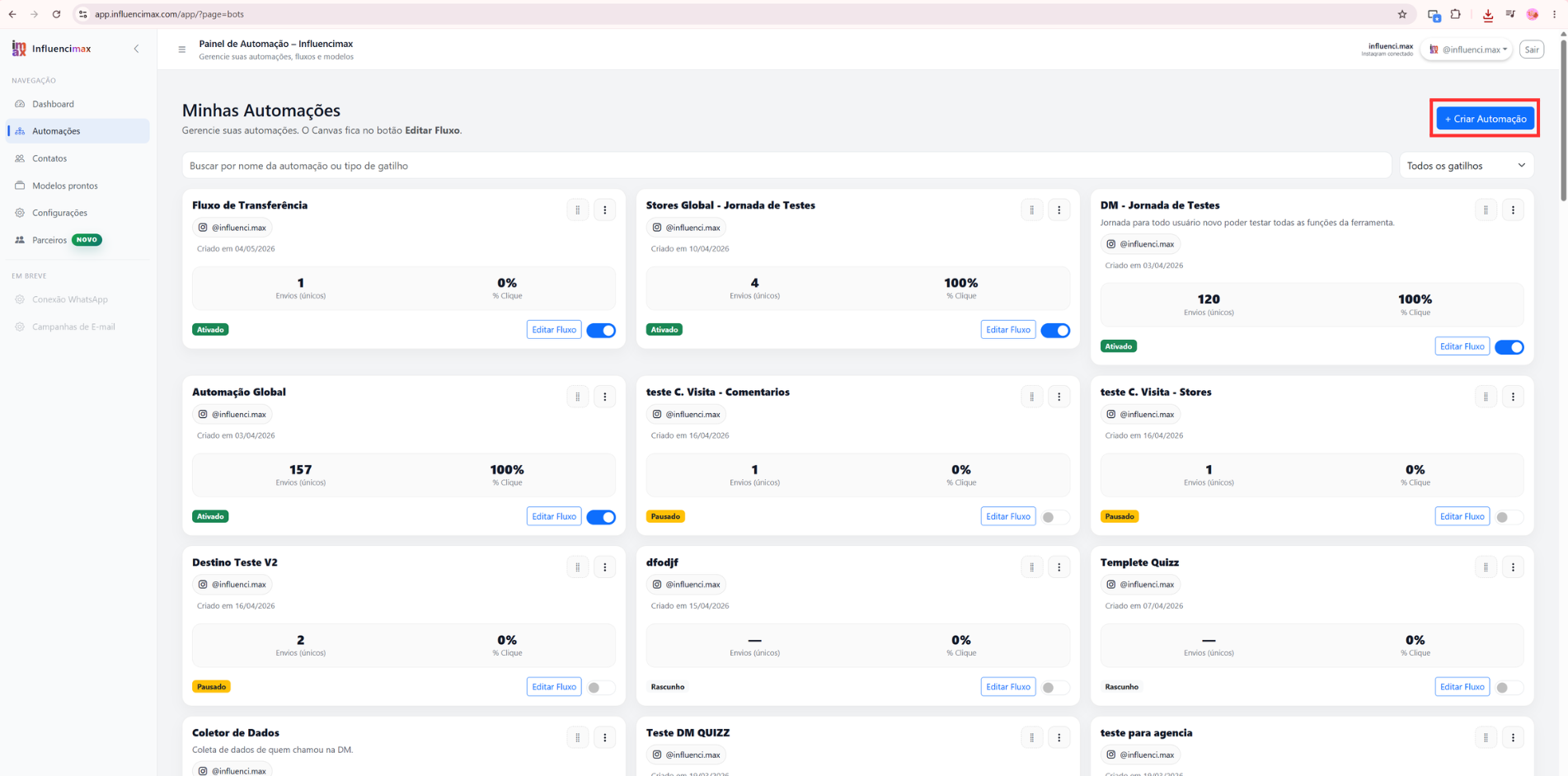
Choose a ready-made template to speed up your automation setup. -
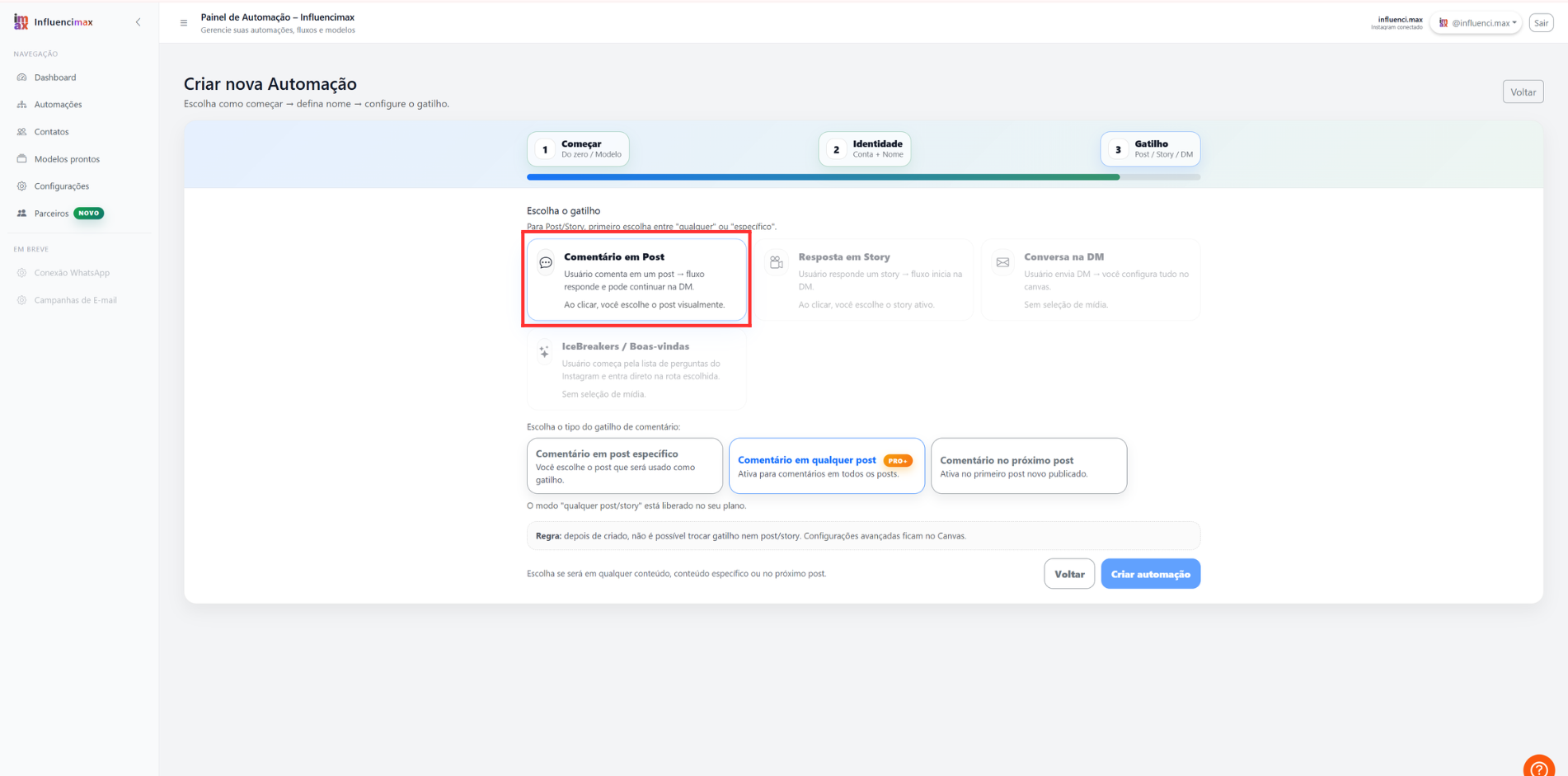
Configure the entry trigger: Inside the visual editor, click the starting block and select the "Post Comment" trigger.
Select the trigger responsible for starting the automation after a comment. -
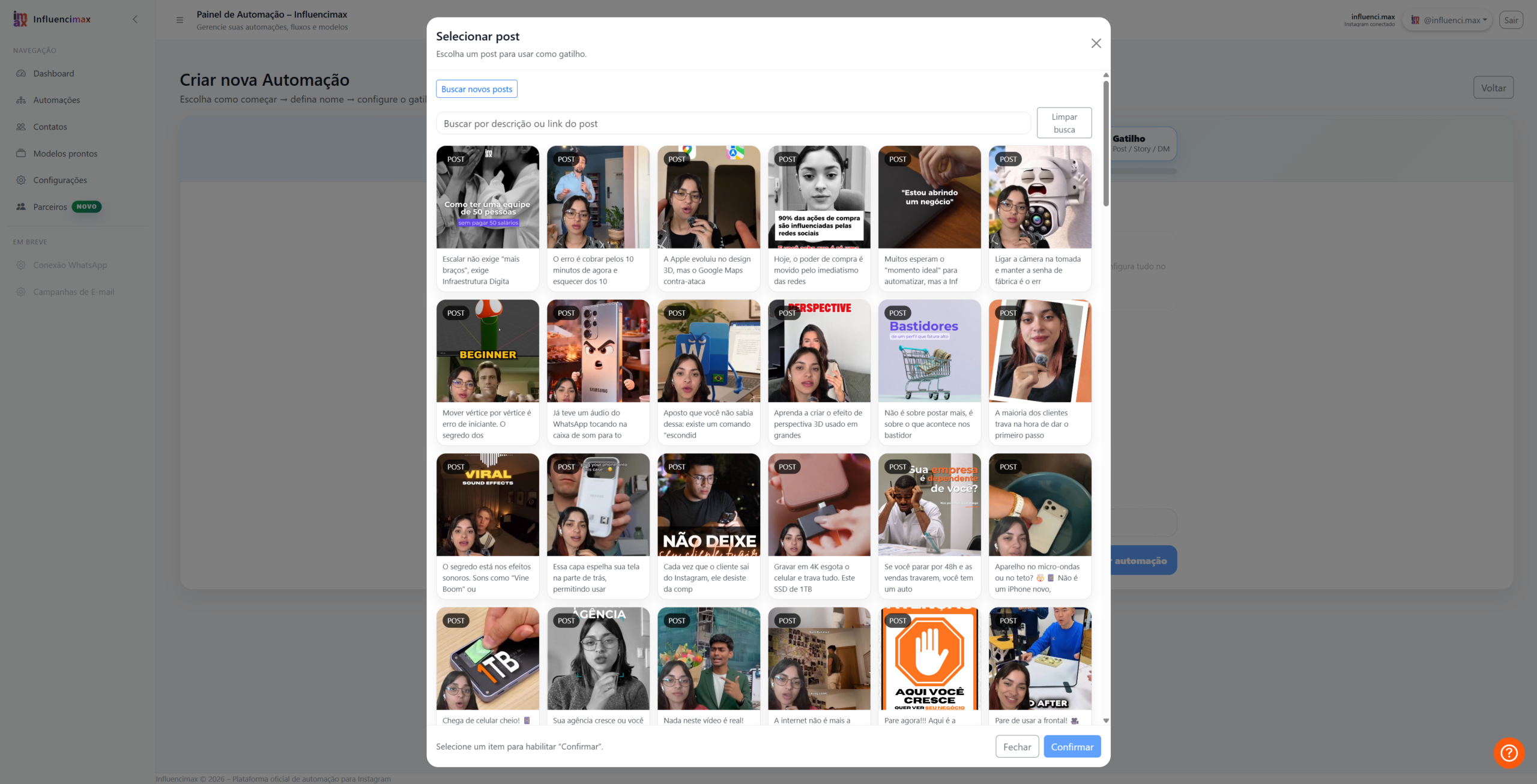
Select the post: Click "Select Post" to open your Instagram gallery and choose the desired publication.
Choose the Instagram post that will be connected to the automation. -
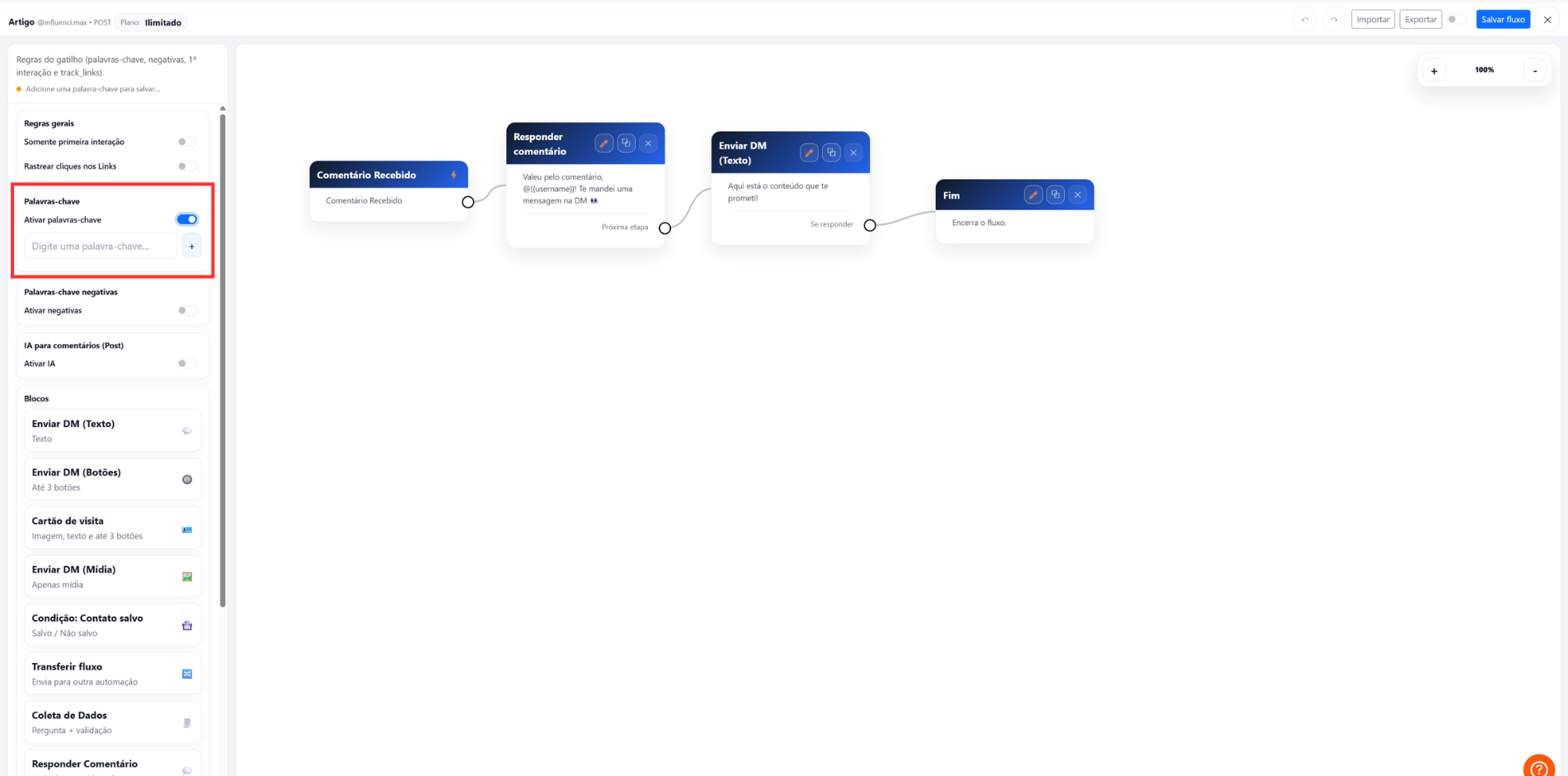
Set the keywords: Enter the words that will trigger the automatic reply, such as "I WANT", "PRICE", or "INFO".
Use simple and direct keywords to improve trigger activation. -
Customize the message: Edit the Direct message that users will receive. You can include links, emojis, and custom variables.
Customize the message that will be automatically sent to users. 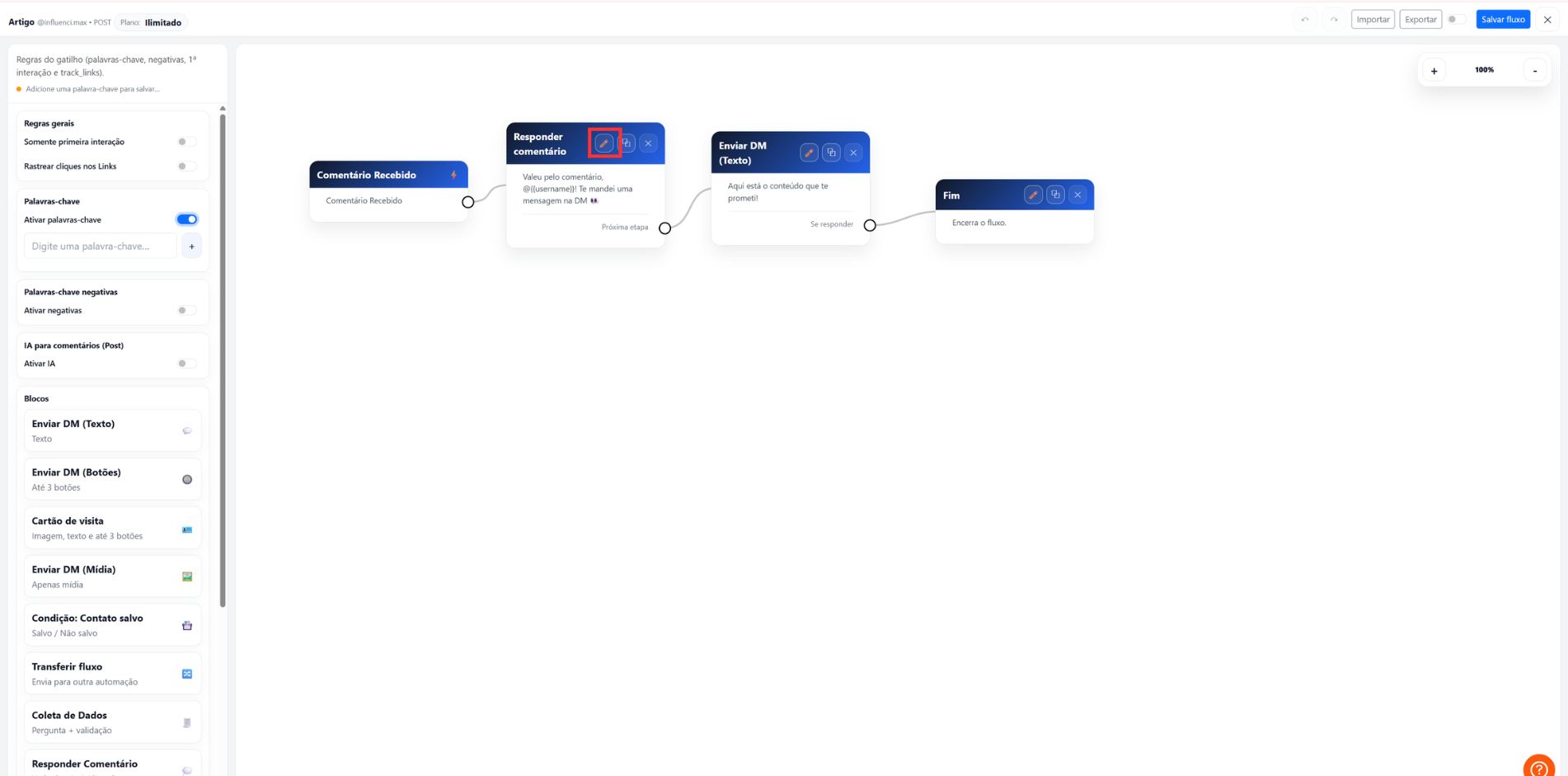
Review the message details and adapt the content to your strategy. -
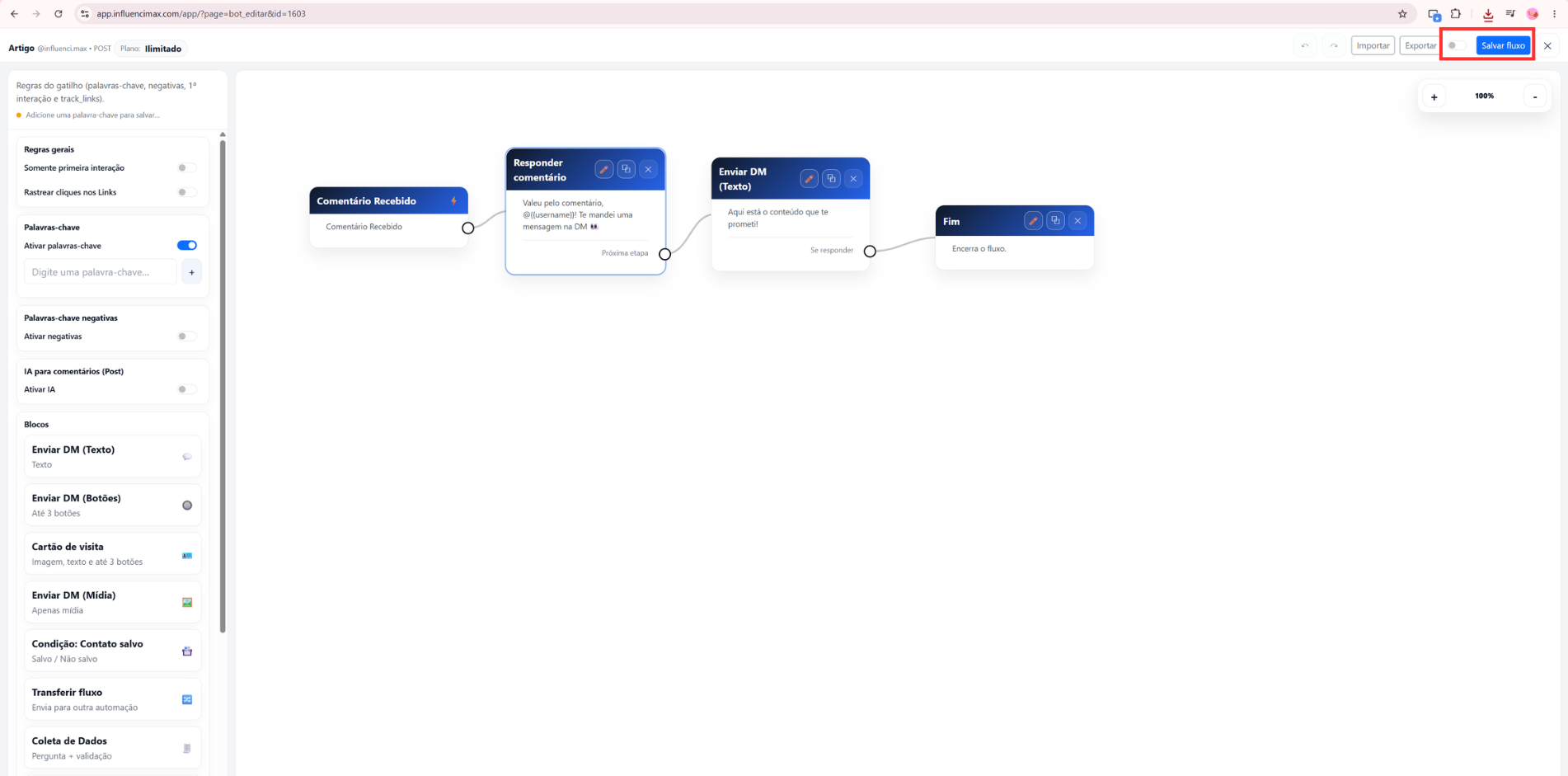
Publish and activate: Click "Publish" at the top of the screen and confirm that the automation is marked as active.
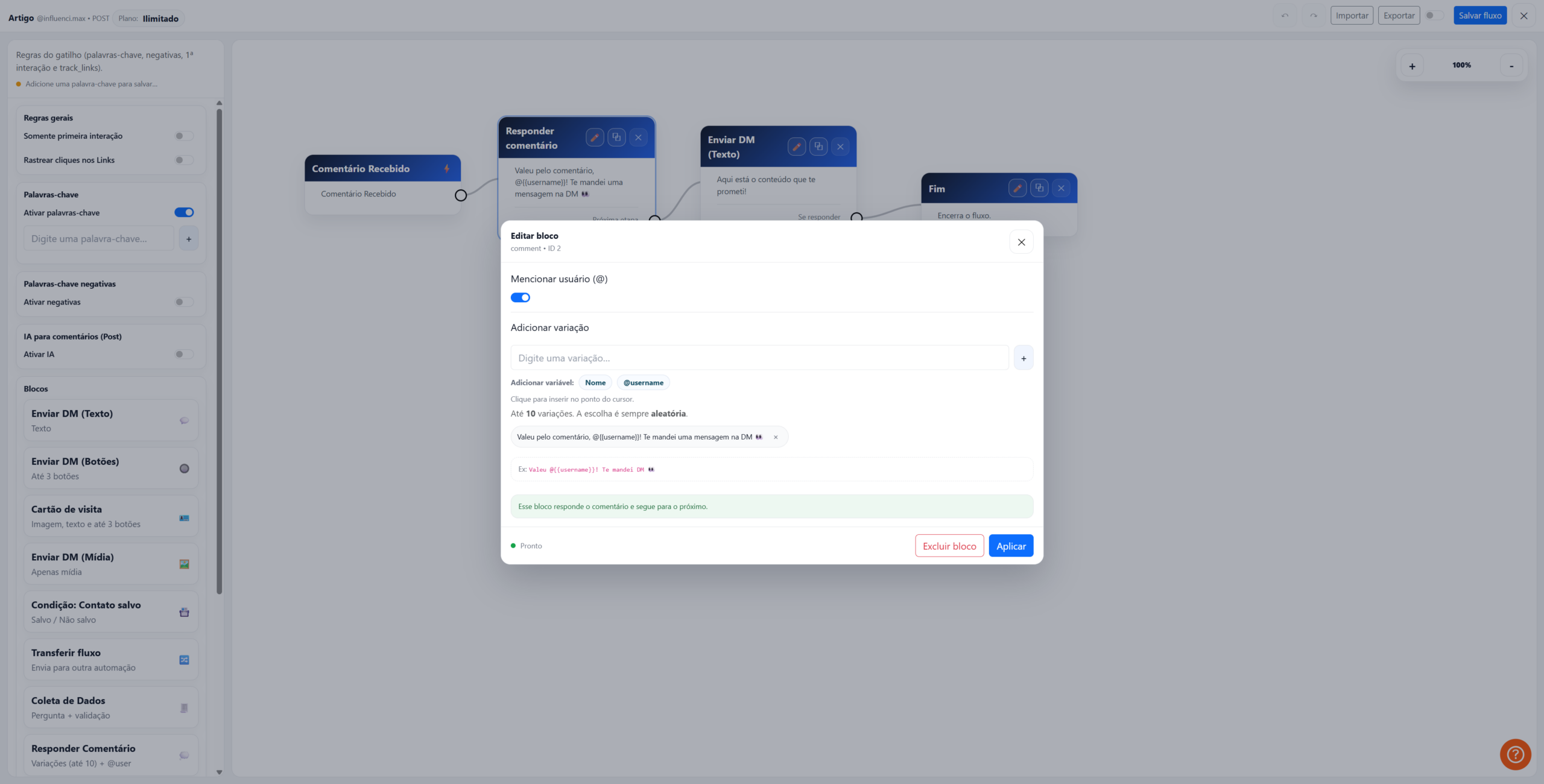
Publish the flow and confirm the automation is active in the main list.
Screenshots
If something does not work
- The post does not appear: Make sure the post is recent and that you are the original author.
- The trigger does not activate: Check whether the keyword is too generic and confirm that the latest version of the flow has been published.
- Direct messages: Instagram requires the user to interact with the post before receiving automatic messages.
Expected result
After completing the setup, any user who comments with the configured keyword on your post will automatically receive a private Direct message containing your configured links, information, or instructions.