

Overview
Quick response and triage flows help organize automated service according to each contact's choice or response.
In InfluenciMax, you can create different paths within the same automation, using keywords, messages, and buttons to direct each person to the appropriate step.
This type of flow is useful when you need to identify a contact's interest before continuing the service.
Video tutorial
There is currently no video tutorial available for this article.
Before you start
Before creating the flow, make sure that:
- your Instagram account is correctly connected to InfluenciMax;
- you have access to the Automations area;
- you have already defined which interaction should start the flow;
- you know which options will be presented during triage and where each choice should direct the contact.
Step by step
- Define how the flow will start. Go to the Automations area and configure the condition that should start the flow. When using keywords, define which terms should be recognized for the contact to enter the automation. This allows InfluenciMax to identify the interaction and direct the person to the first triage step.
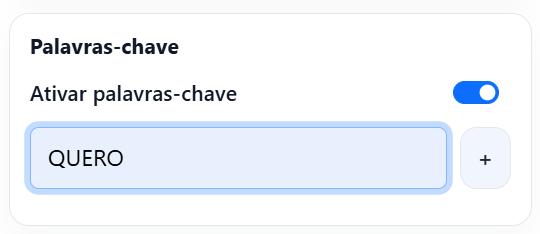
- Create the first triage message. After configuring the start of the automation, add the message that will present the available options to the contact. The message should be objective and make it clear what the person needs to do to continue. For example, you can present different topics and allow the contact to choose the one that matches what they are looking for.
- Add the response options. Configure the buttons that will be used in triage. Each button should represent an option and be connected to the corresponding path in the flow. This way, when the contact makes a choice, the automation can direct them to the appropriate next step.
- Connect each option to the corresponding path. In the Canvas, connect each triage option to the action that should happen next. Each choice can lead to a message or another automation step, depending on the structure created. Review the connections to ensure that each button directs the contact to the correct path.
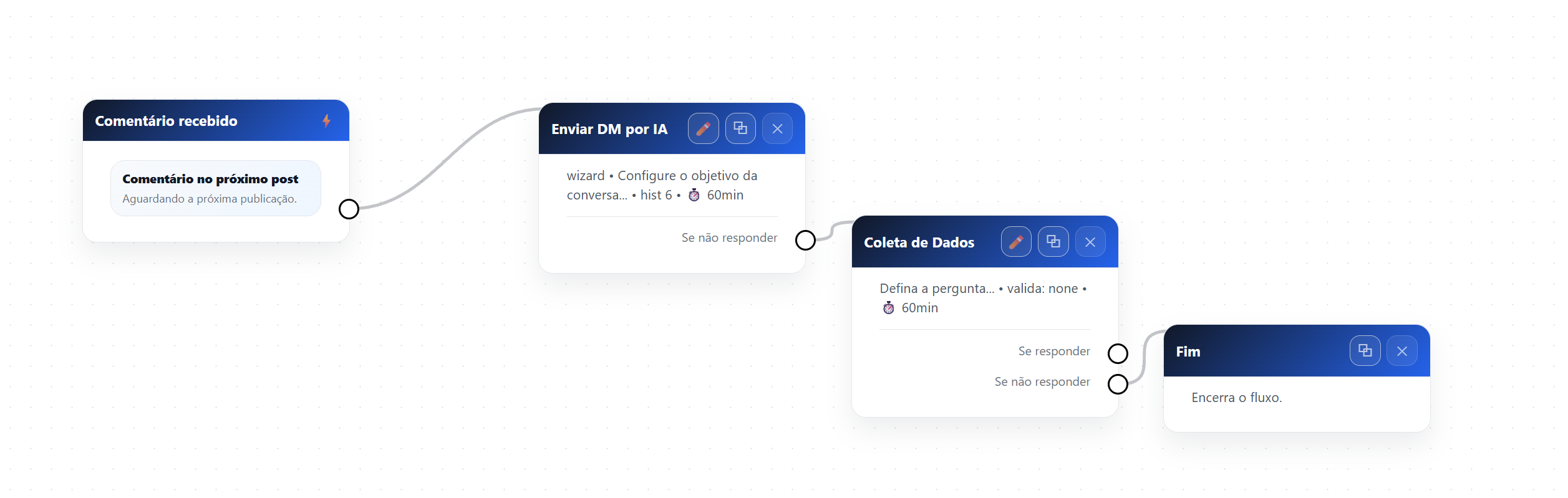
- Consider responses typed by the contact. In addition to buttons, consider the expected behavior if the person sends a typed response. Configure the flow according to the options available in the automation so the contact does not lose continuity when they do not use one of the presented options.
- Personalize the messages. Flow messages can be personalized with contact information. When applicable, use the {name} variable to include the person's name in the message. Place the personalization at the appropriate point in the text so the message remains natural when sent.
- Review the flow. Before finishing, check the entire automation path. Pay particular attention to the condition used to start the flow, the first message, the presented options, the destination of each button, the behavior for other responses, personalized messages, and the connections between blocks. This review helps identify incomplete paths before contacts use the automation.
How it works in practice
After the flow is configured:
- the contact performs the interaction defined to start the automation;
- InfluenciMax starts the flow;
- the person receives the triage message;
- the contact chooses one of the presented options;
- the automation identifies the choice;
- the contact follows the corresponding path;
- the next actions are executed according to the configured structure.
This allows different needs to be organized within a single service journey.
Screenshots
The screenshots in this tutorial are placed alongside the corresponding steps to show the keyword configuration and the connection structure in the Canvas.
If something does not work
The flow did not start
Check whether the condition used to start the automation is configured correctly and whether the automation is active.
The button directed the contact to the wrong path
Review the connections in the Canvas and confirm that each option is linked to the corresponding step.
The contact typed a response and the flow did not continue
Review the behavior configured for responses other than the options presented by the buttons.
The name did not appear correctly in the message
Check whether the {name} variable was inserted correctly in the message content.
The flow stopped before completing triage
Review the connections between the blocks and check whether a next step is configured for each required path.
Expected result
After the configuration is complete, the contact can enter the automation, receive the triage options, and follow different paths according to their choice.
With the blocks correctly connected, InfluenciMax will direct each interaction to the corresponding flow step, allowing different types of service to be organized within the same automation.