

Overview
Internal Notes, History, and Team Permissions help organize the work of teams that use InfluenciMax Live Chat.
With Internal Notes, agents can record information directly inside a conversation without sending that content to the customer on Instagram. This keeps important observations and context available to the team for future interactions.
In addition, certain actions performed during an interaction are automatically recorded in the conversation history. These events help the team understand what happened throughout the interaction and which actions were performed.
For teams with multiple agents, InfluenciMax also allows a Master account to invite other users and determine which areas and Instagram accounts each person can access.
Video tutorial
Before you start
Before using these features, it is important to understand the difference between a message sent to the customer and an Internal Note.
Support messages are part of the conversation with the user on Instagram. Internal Notes, however, are intended for the team and are not sent to the customer.
To use multi-agent features, the Master account must also define which users will have access to the operation and which permissions will be assigned to each one.
Step by step
- Using Internal Notes
During a conversation in Live Chat, an agent can add an Internal Note to record relevant information about that interaction.
Notes can be used to preserve context, record observations, and make it easier for another team member to continue the conversation when taking over the interaction.
Because an Internal Note remains within the team's operation, its content is not sent to the customer on Instagram.
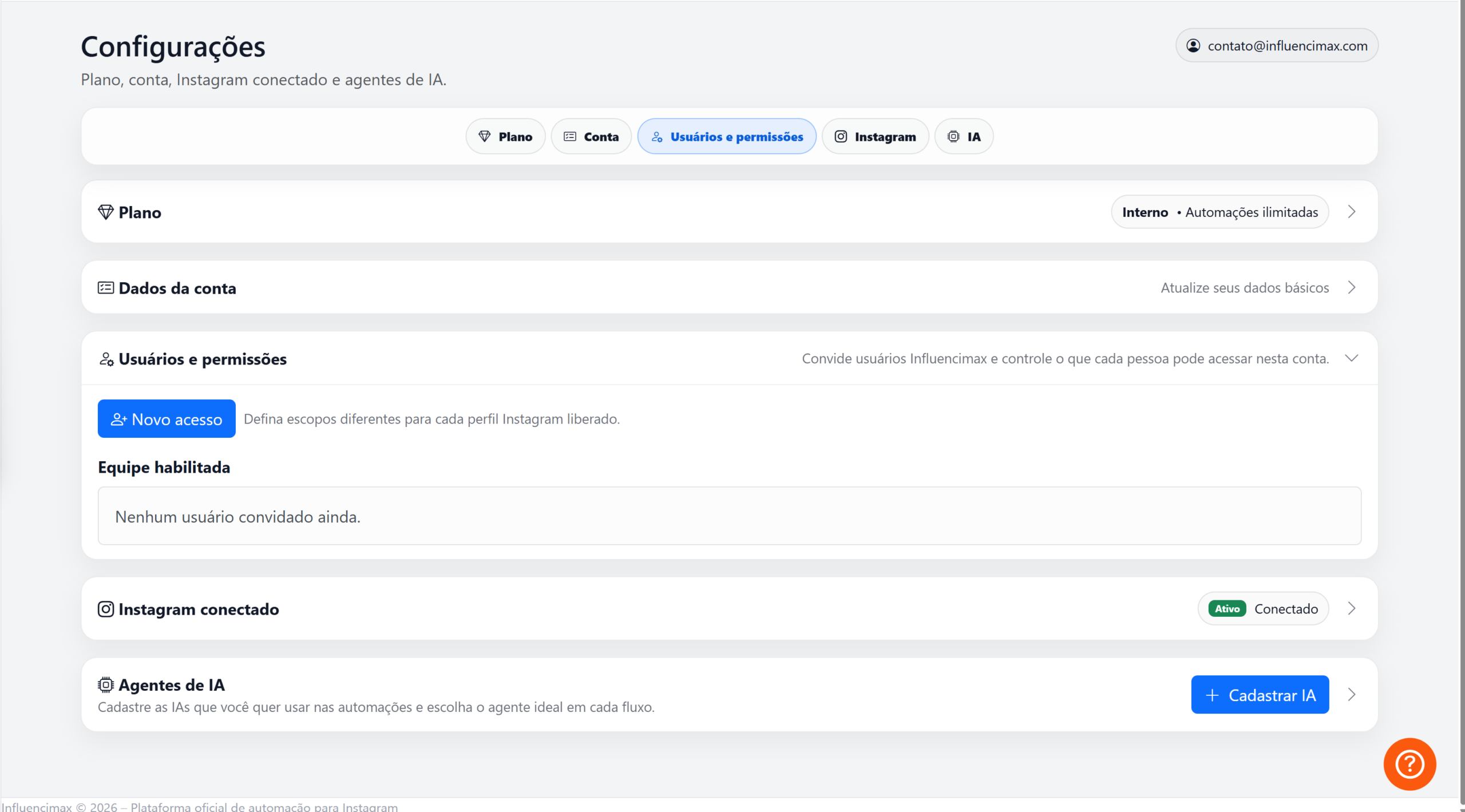
Use Internal Notes to record important information about the conversation without sending the message to the customer. - Following the interaction history
In addition to notes added by the team, InfluenciMax automatically records important actions performed during the interaction.
Events that may appear in the history include:
- Interaction accepted;
- Interaction transferred;
- Interaction archived;
- Interaction returned to the queue;
- Actions performed by automation.
These records appear as centralized events within the conversation and have a visual presentation that differs from regular messages.
This allows the team to follow the interaction timeline more clearly and identify the main actions performed throughout the conversation.
- Working with multiple agents
For team-based operations, Master accounts can invite additional users to access specific areas of InfluenciMax.
This makes it possible to distribute work among different people without requiring everyone to use the same login.
Invitations can be sent by email, and a user-friendly invitation link can also be generated.
Users who already have an account can accept the invitation and join the operation.
There is also a specific onboarding process for invited users that does not require them to immediately connect an Instagram account.
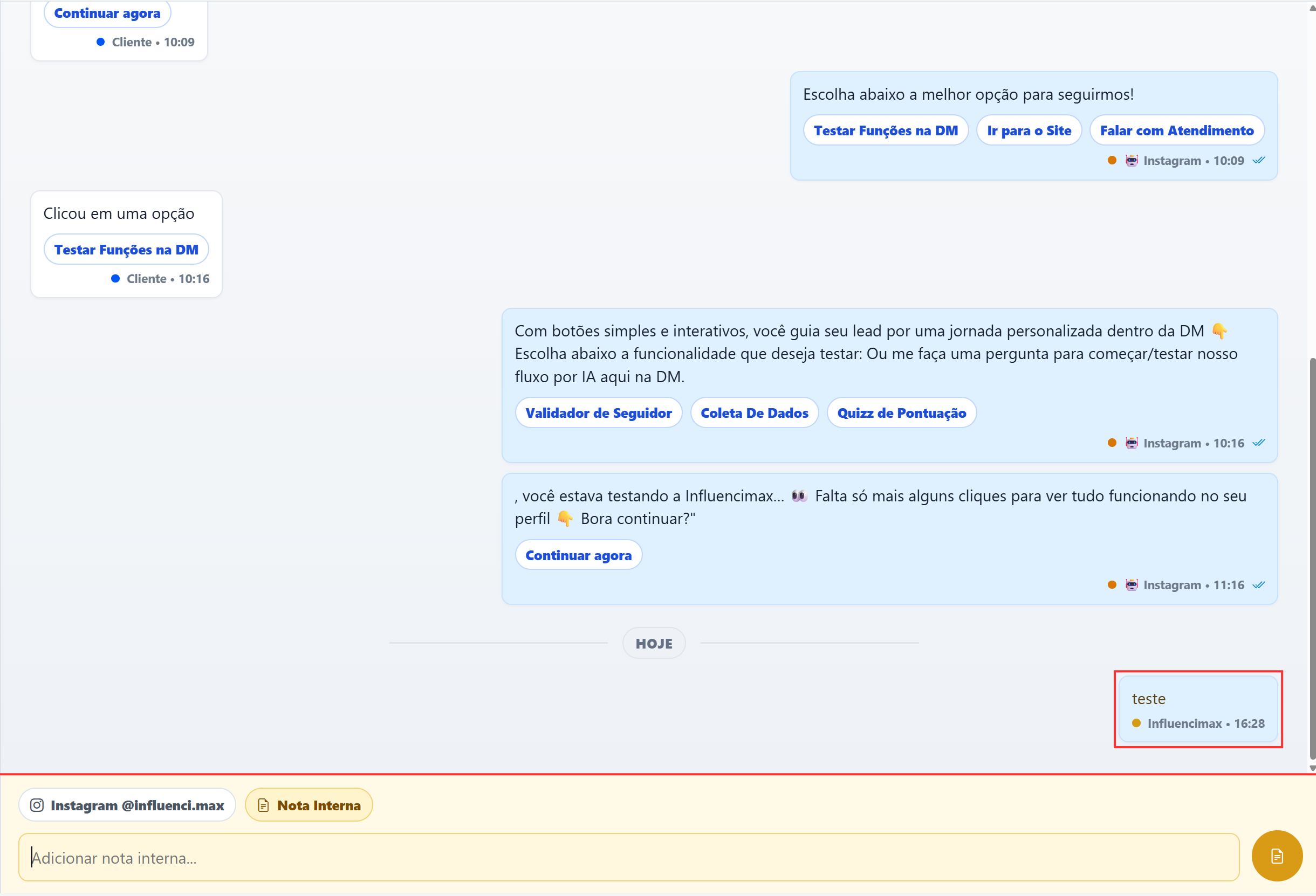
The Master account can invite new users to participate in the InfluenciMax operation. - Configuring team permissions
After adding users, the Master account can determine which parts of the platform are available to each person.
Permissions can be organized by the following modules:
- Dashboard;
- Instagram Accounts;
- Support;
- Contacts;
- Automations;
- Settings;
- Users and permissions;
- Plan and billing.
This structure allows access to be distributed according to each team member's responsibilities.
For example, a user can receive access to the areas required to handle conversations without necessarily receiving access to other parts of the platform.
- Defining access for different Instagram accounts
Permissions can also have different scopes for different Instagram accounts.
This helps organize operations that work with multiple profiles and determine which accounts each user can access.
The Master account can therefore structure the team according to the profiles each member is responsible for.
- Revoking an agent's access
When a user no longer needs to participate in the operation, their access can be revoked.
Revoking access does not require deleting the agent's InfluenciMax account. Access to the operation can be removed without deleting that user's personal account.
An invited user can also have their own Master account and connect their own profiles independently of the access received through the invitation.
Actions performed by invited users can also be recorded internally, helping the team monitor the operation.
How the features work together
Internal Notes, history, and permissions help preserve operational context when several people participate in conversations.
Internal Notes keep information available to the team. History shows important actions performed during the conversation. Multi-agent and permission features control who participates in the operation and which areas and accounts each user can access.
This allows different team members to work within the same structure while keeping conversations, actions, and access more clearly organized.
If something does not work
The invited user cannot access a specific area
Check whether the corresponding module has been enabled in the permissions assigned to the user. Also confirm that access is configured for the correct Instagram account.
The agent cannot access a specific Instagram account
Review the scopes defined for that user and confirm that the desired account is included in the permitted access.
An Internal Note did not appear to the customer
This is expected behavior. Internal Notes are not sent to the customer on Instagram. They are used to record information intended for the team within the conversation.
A user lost access to the operation
Check whether that user's access was revoked or whether their permissions were changed by the Master account.
Expected result
After configuring these features, your team will be able to use InfluenciMax Live Chat with a more organized collaboration structure.
Agents will be able to record Internal Notes without sending information to the customer, follow important events through the conversation history, and work with access defined according to their responsibilities.
The Master account will be able to invite new users, control permissions by module, establish different scopes for Instagram accounts, and revoke access when necessary, keeping the operation organized even with multiple team members working on the platform.