

Overview
Contact management in InfluenciMax works like an intelligent CRM. Every person who interacts with your automations is registered automatically, allowing you to turn anonymous followers into qualified leads with organized data.
Video tutorial
Before you start
- Contacts are generated automatically through interactions with your flows.
- Make sure your automations are configured to save important information, such as email and phone number, in specific variables.
Step by step
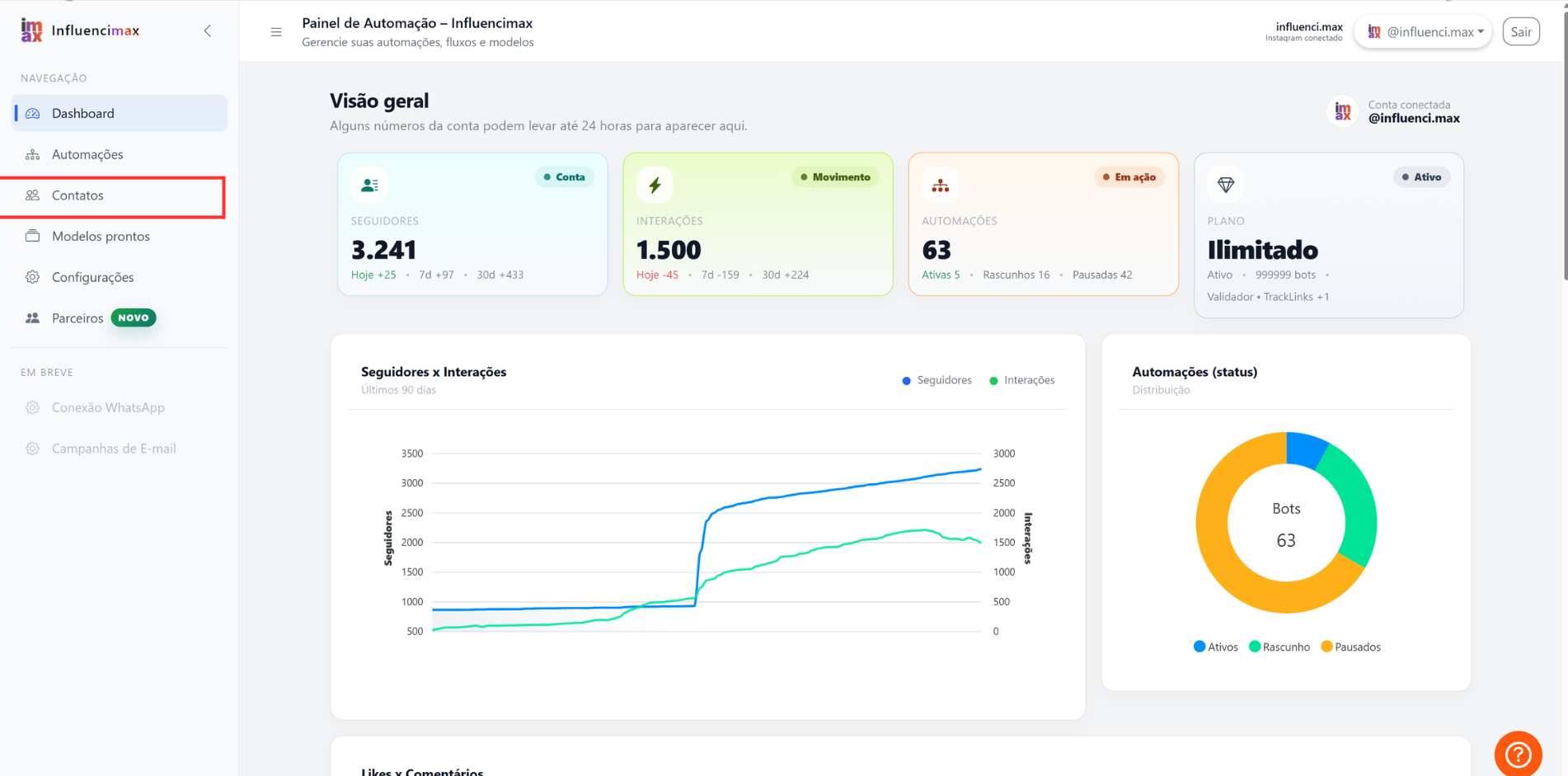
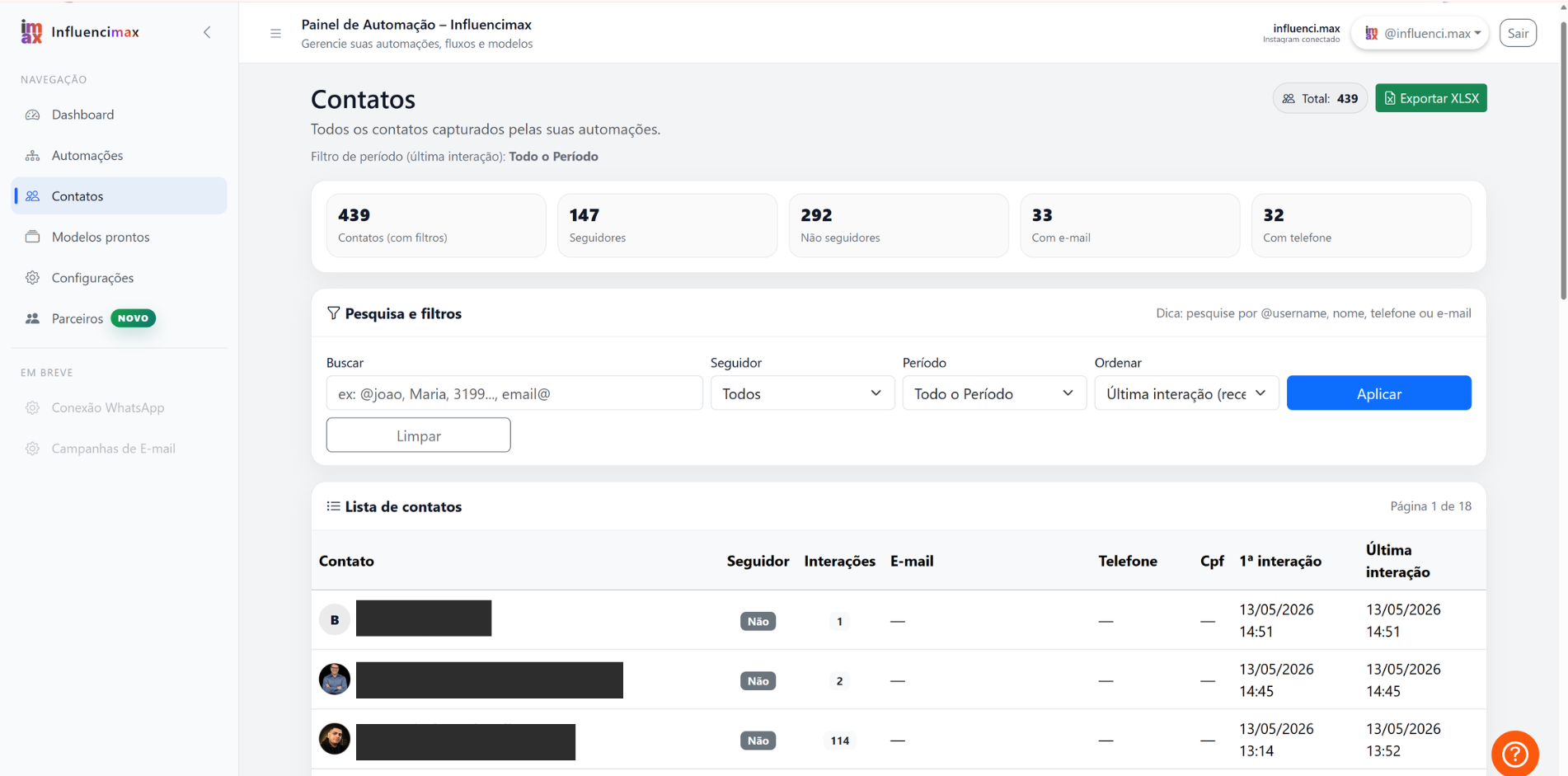
- Explore the Contacts Panel: In the side menu, go to Contacts. You will see a table view of all users, including profile picture, Instagram @ username, and captured contact information.
- Individual Analysis: When you click a contact, the system opens a complete profile. There, you can see the user's behavior inside your funnel and which answers they gave to your questions.
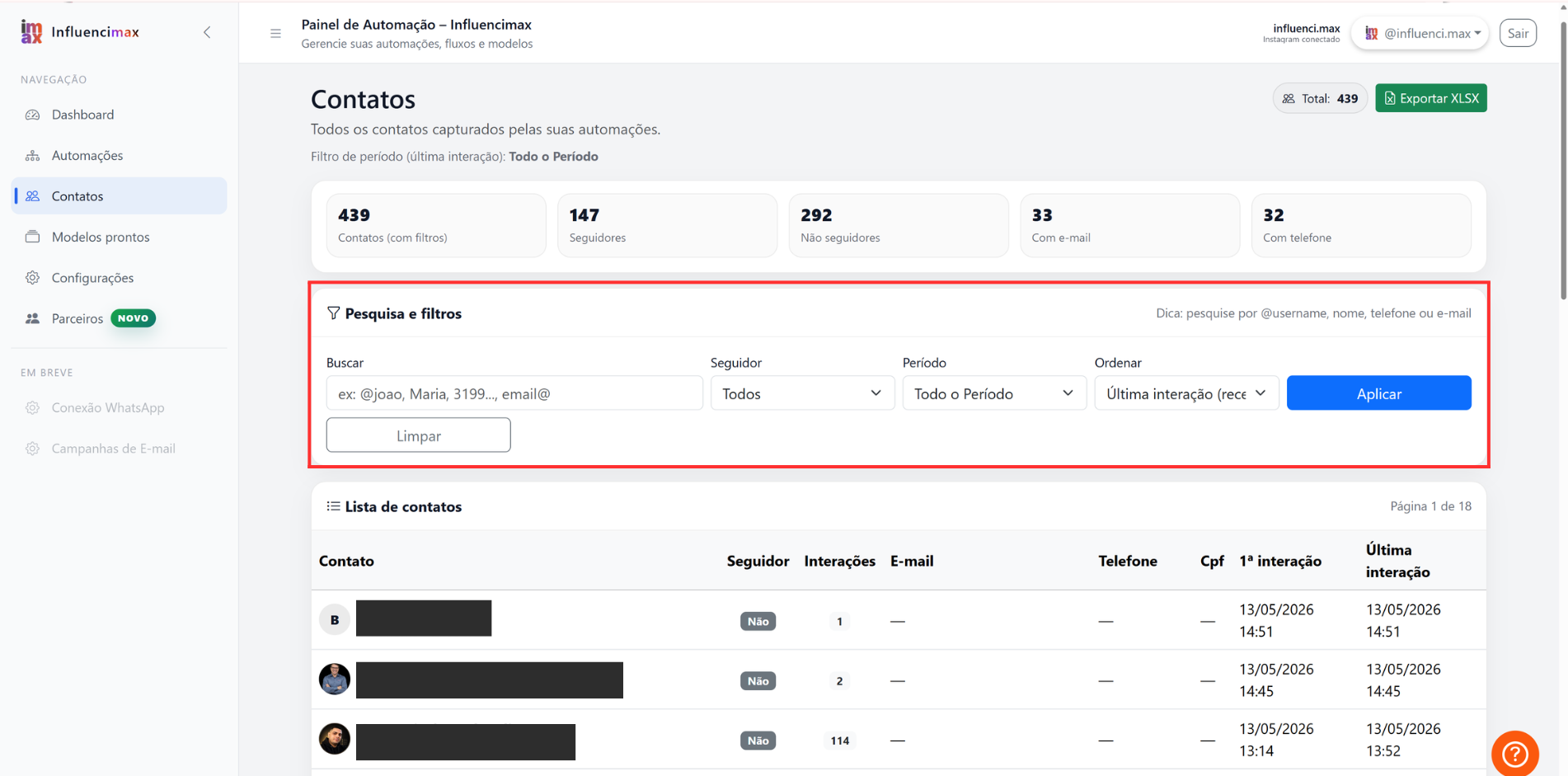
- Segmentation with Filters: Use the filtering tools at the top of the page to separate warm leads, who provided data, from curious users. You can filter by time period or by labels, also called tags, that you define in your flows.
- Organization and Cleanup: You can remove test contacts or organize your base to make sure only real leads are being counted.
Screenshots
If something does not work
- Lead without contact data: This happens when the user leaves the flow before reaching the capture step. Review your messages to make the process more attractive.
- Synchronization: If a user changes their name on Instagram, the system will update that information the next time they interact with one of your automations.
Expected result
After organizing your contacts, you will have a clean, segmented contact base ready to be exported or used in new sales strategies directly through Direct.