

Overview
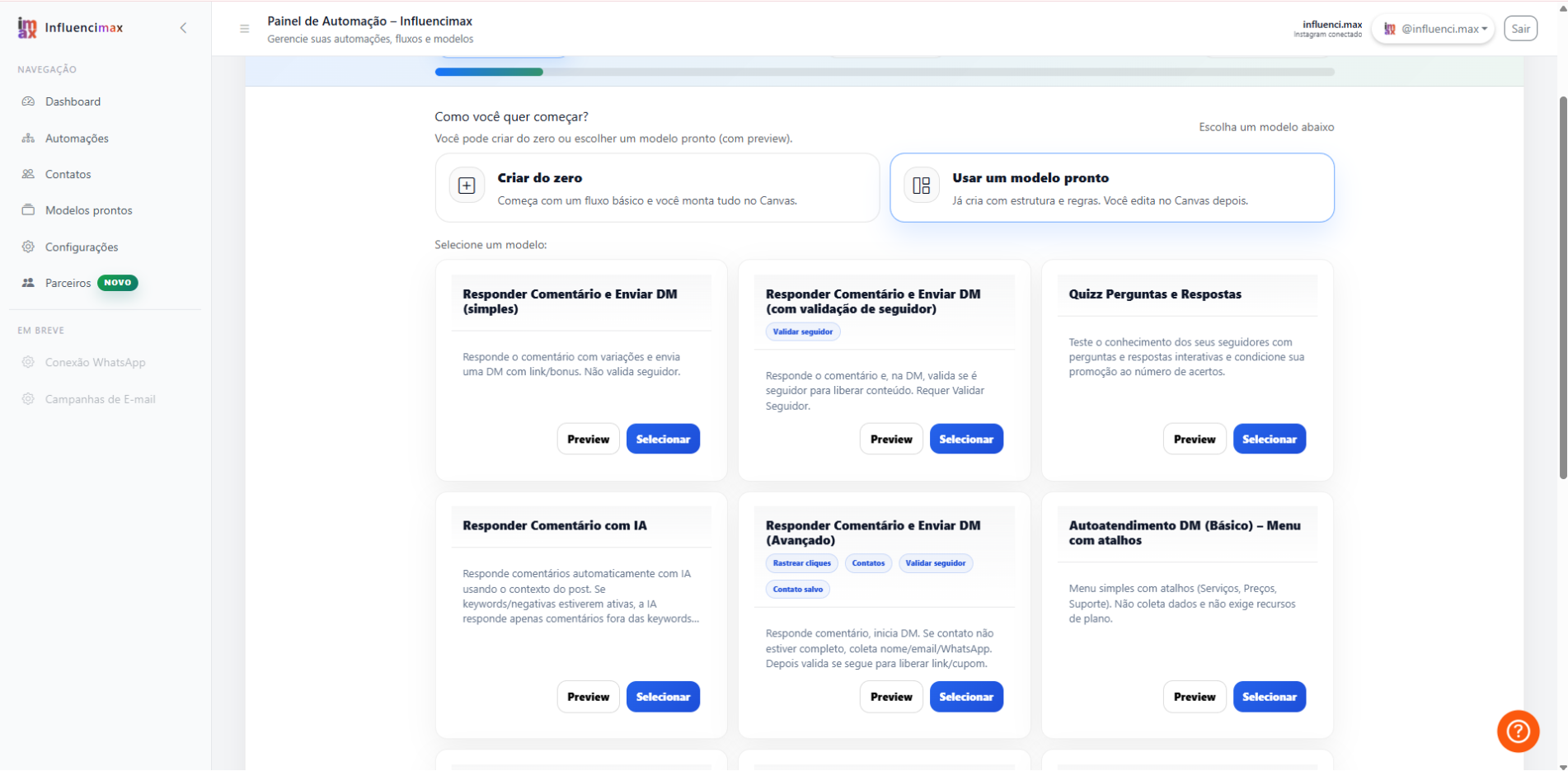
The Automations tab is your command center. There, you can view everything currently running on your profile as cards, while the Template Gallery works as a library of ready-to-use strategies.
Video tutorial
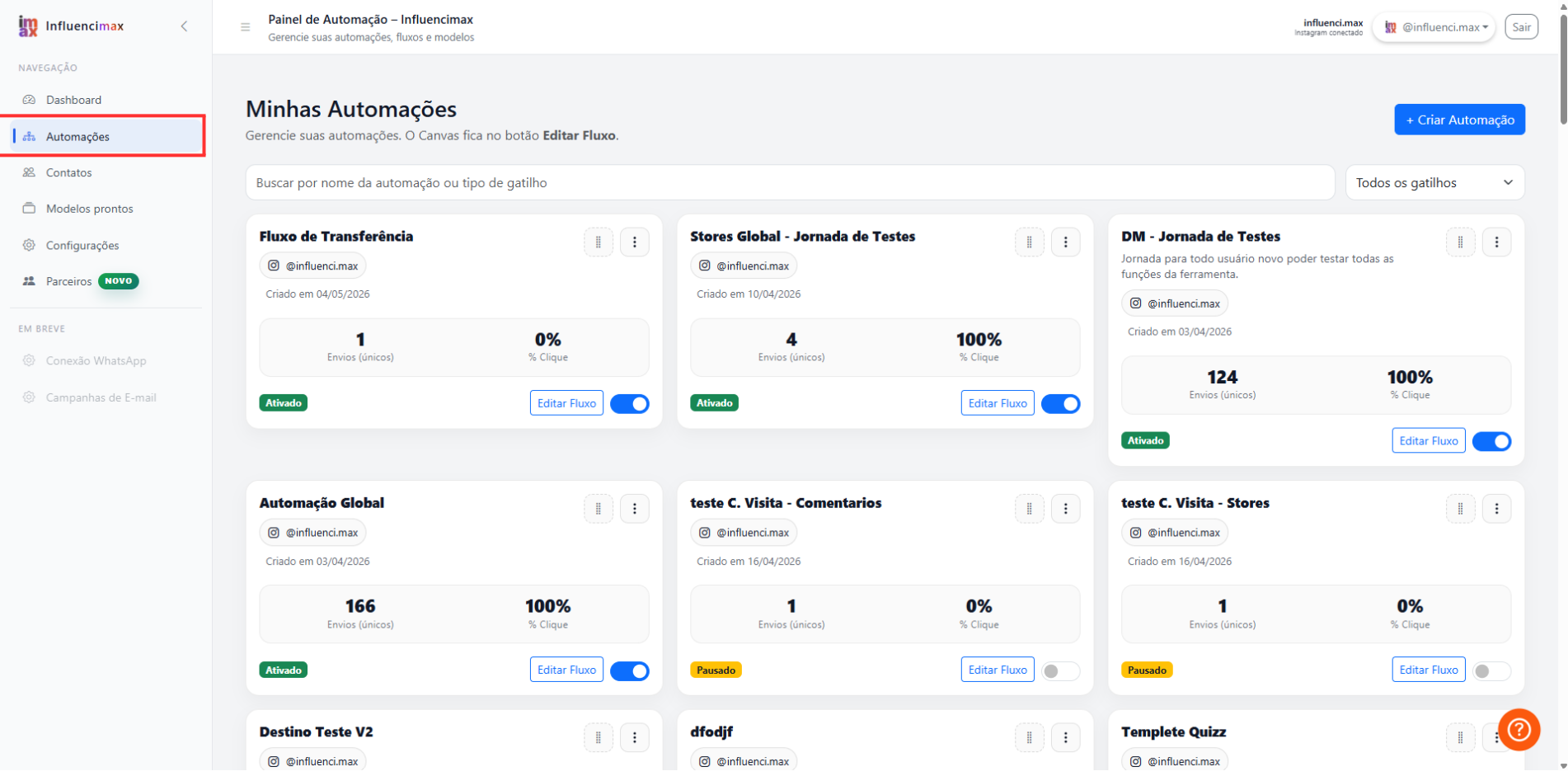
Before you start
- Access your InfluenciMax account and confirm that you are using the correct profile.
- Decide whether you want to review an existing automation or start a new strategy from a template.
Step by step
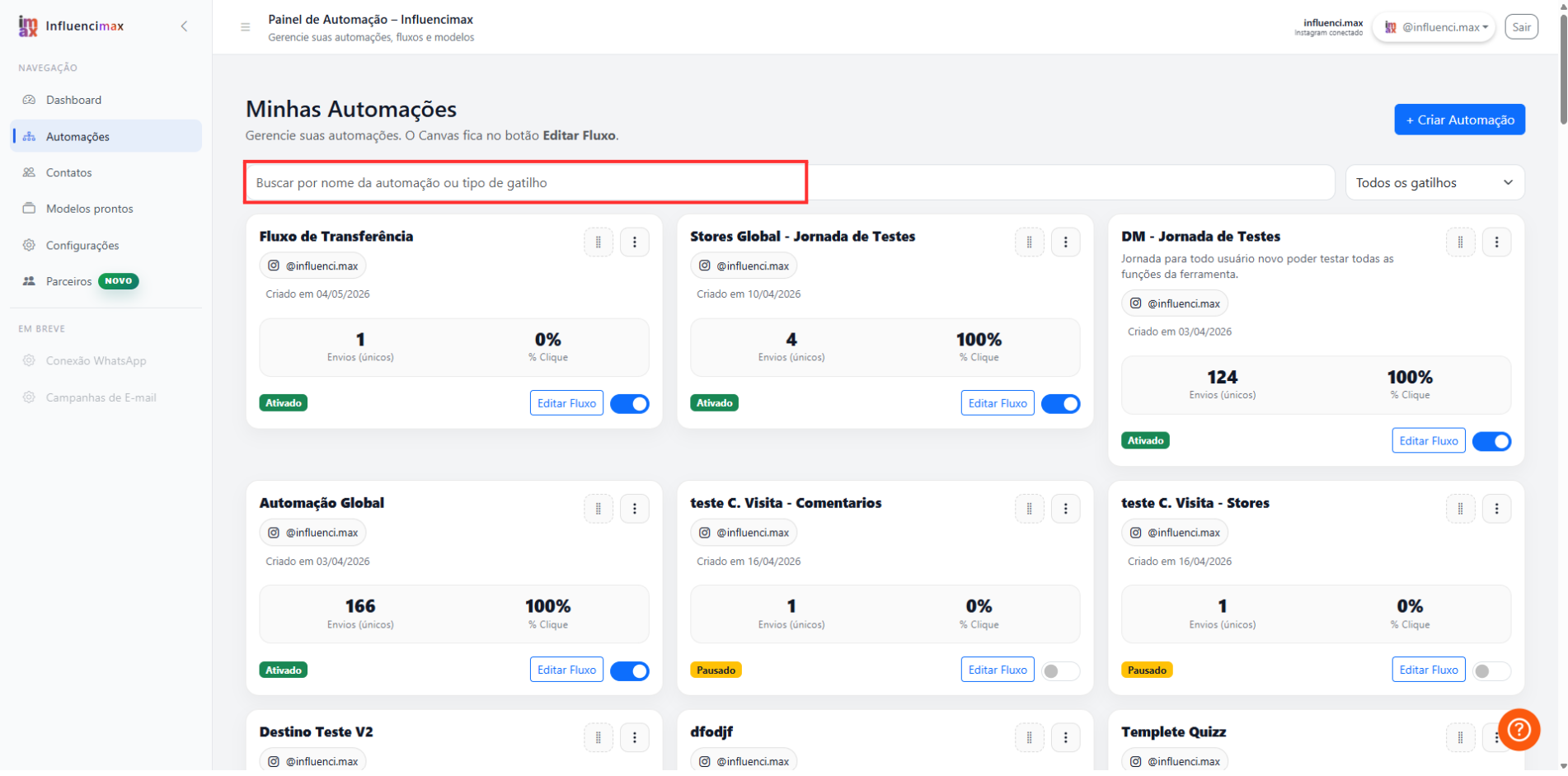
- Understanding the Cards: Each automation you create appears as a card. On it, you can see the name you gave the flow and whether it is active. This is the fastest way to get an overview of your campaigns.
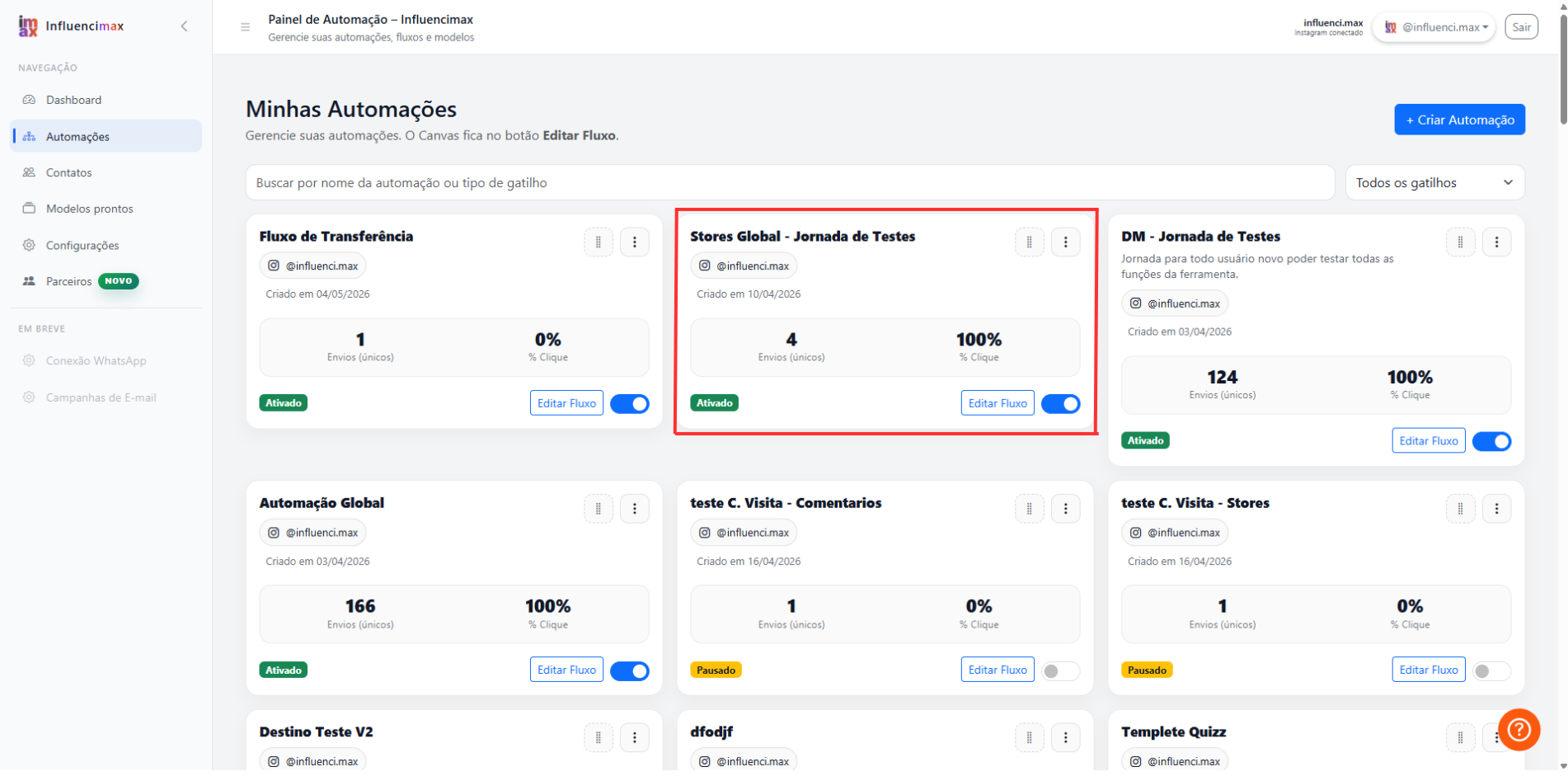
- Monitoring Clicks: Inside each card, InfluenciMax shows the volume of unique clicks (different users) and valid clicks (total clicks). This is essential to know whether your sales link is being accessed.
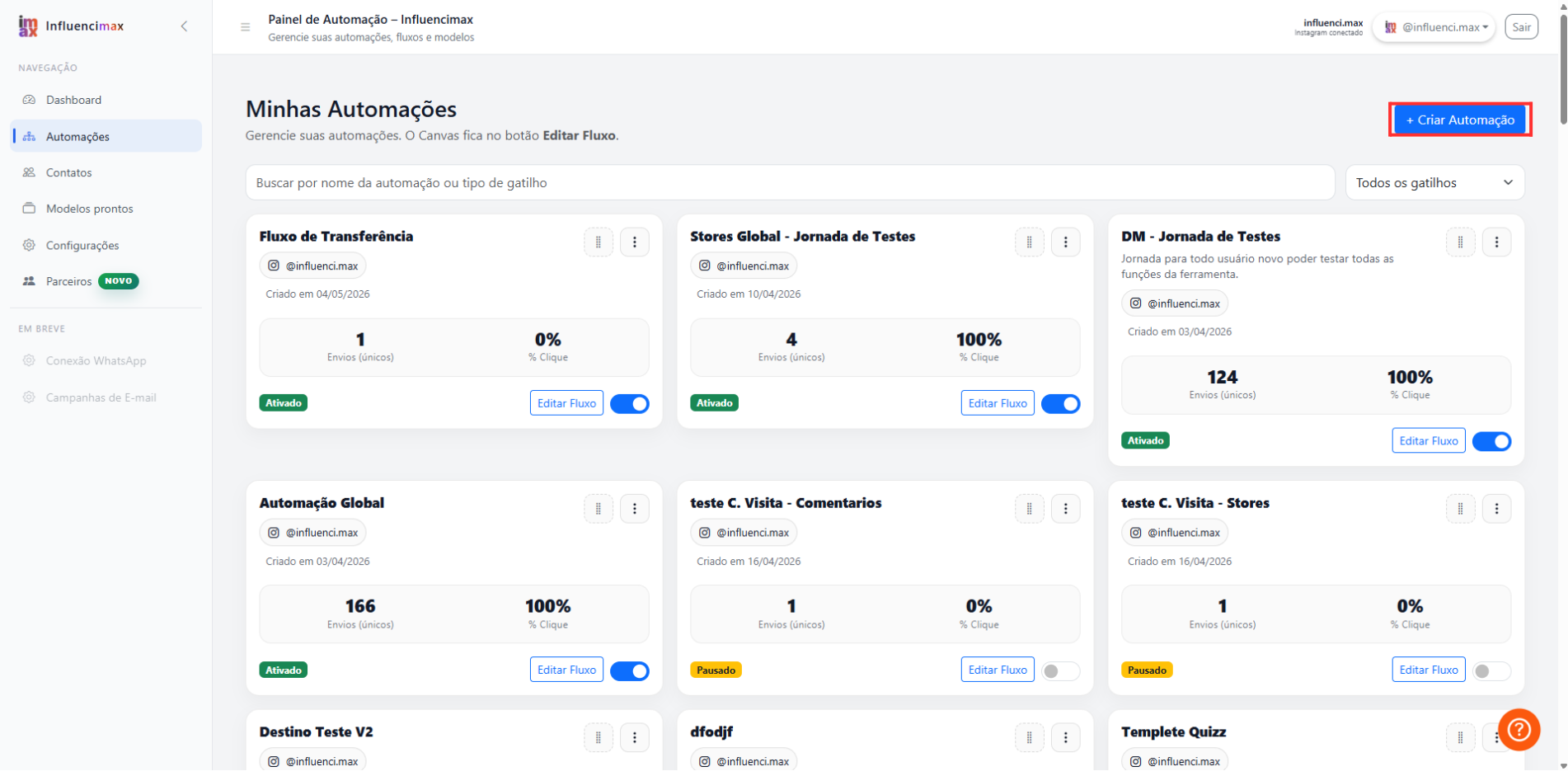
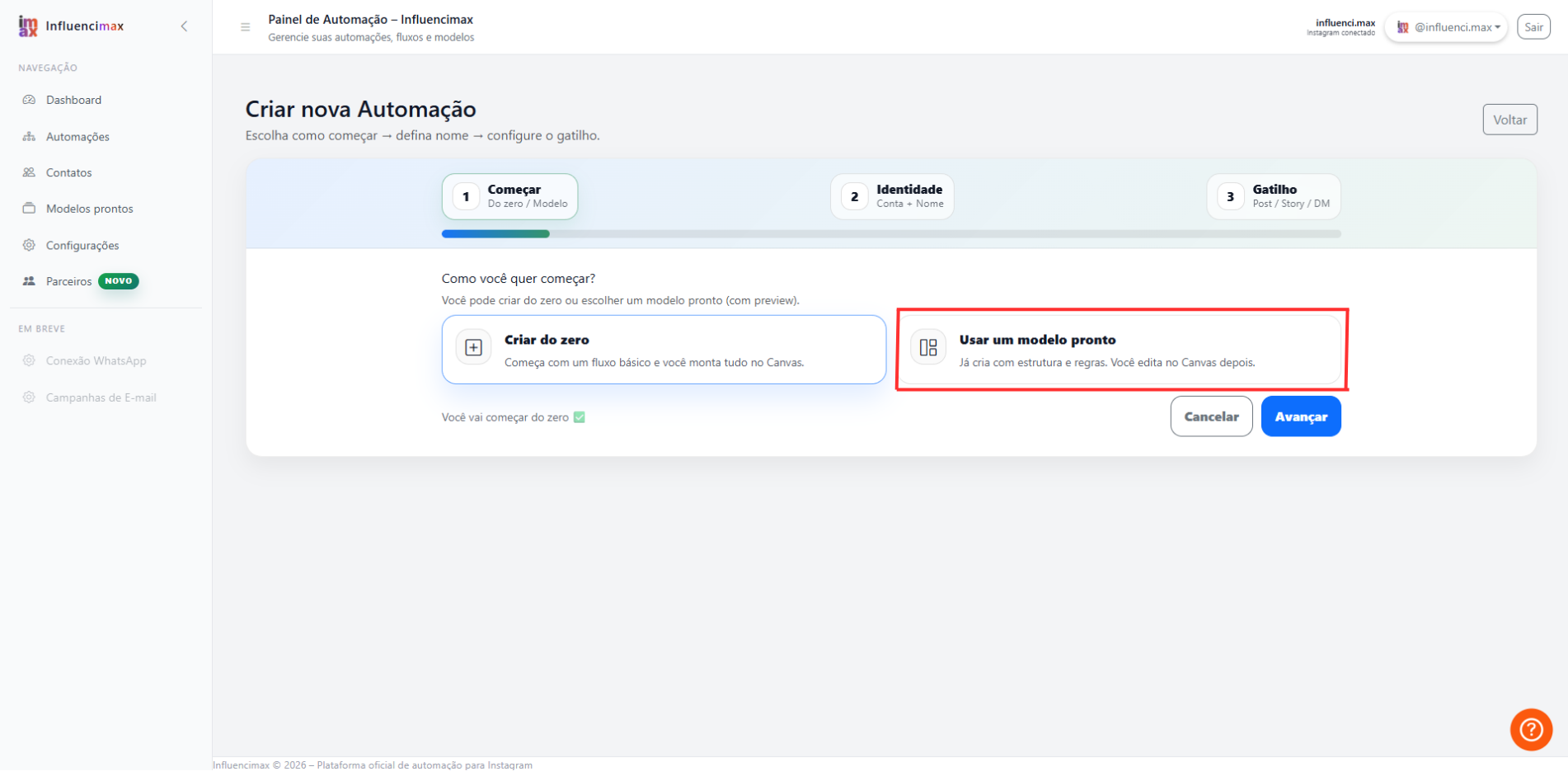
- Using the Gallery: If you do not want to start from scratch, the Templates tab offers filters by category. Choose the goal, such as sales, preview the flow and, if it fits your needs, click Use Template to edit it with your own information.
- Quick Search: As your account grows, you will have many automations. Use the search bar at the top to quickly find the flow you want to edit or analyze.
Screenshots
The screenshots in this article were placed directly next to their corresponding steps to make it easier to compare the instruction with the platform screen.
If something does not work
- Difference between Templates and Automations: Remember that the Templates tab is only a showcase. To edit or review the results of something you have already installed, always go to the Automations tab.
- Zero Metrics: If an automation has just been turned on, the numbers may take a few minutes to update as the first people interact with it.
Expected result
By the end, you will have a simpler and faster management process, allowing you to activate and monitor multiple sales strategies without confusion.