

Overview
The Multiple Instagram Accounts feature allows you to connect and manage more than one Instagram account within the same InfluenciMax account.
Each connected account has its own automation, CRM, flow, and resource settings, making it easier to manage different profiles in a single environment.
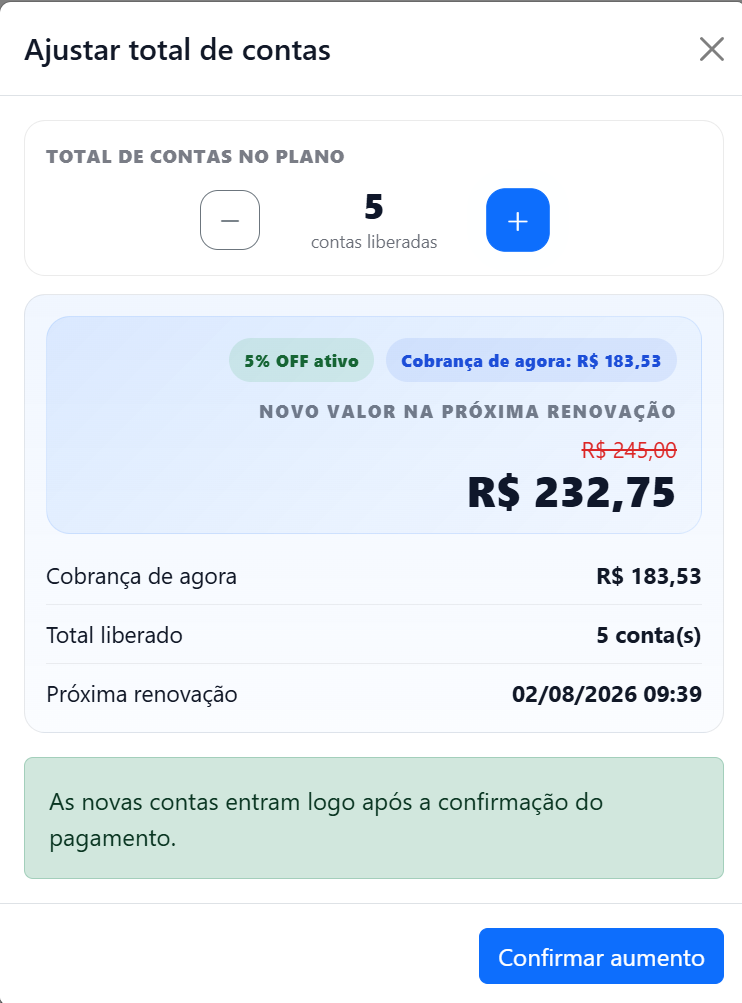
In addition, when you add multiple accounts, progressive discounts are applied automatically to the value of additional accounts, according to the number of active profiles.
Video tutorial
There is no video tutorial available for this article yet.
Before you start
Before adding a new Instagram account, check whether:
- Your InfluenciMax subscription is active.
- The new Instagram account meets the requirements for connection with the platform.
- You have administrative access to the account that will be connected.
Step by step
Adding a new Instagram account
In the InfluenciMax account management area, select the option to add a new Instagram account.
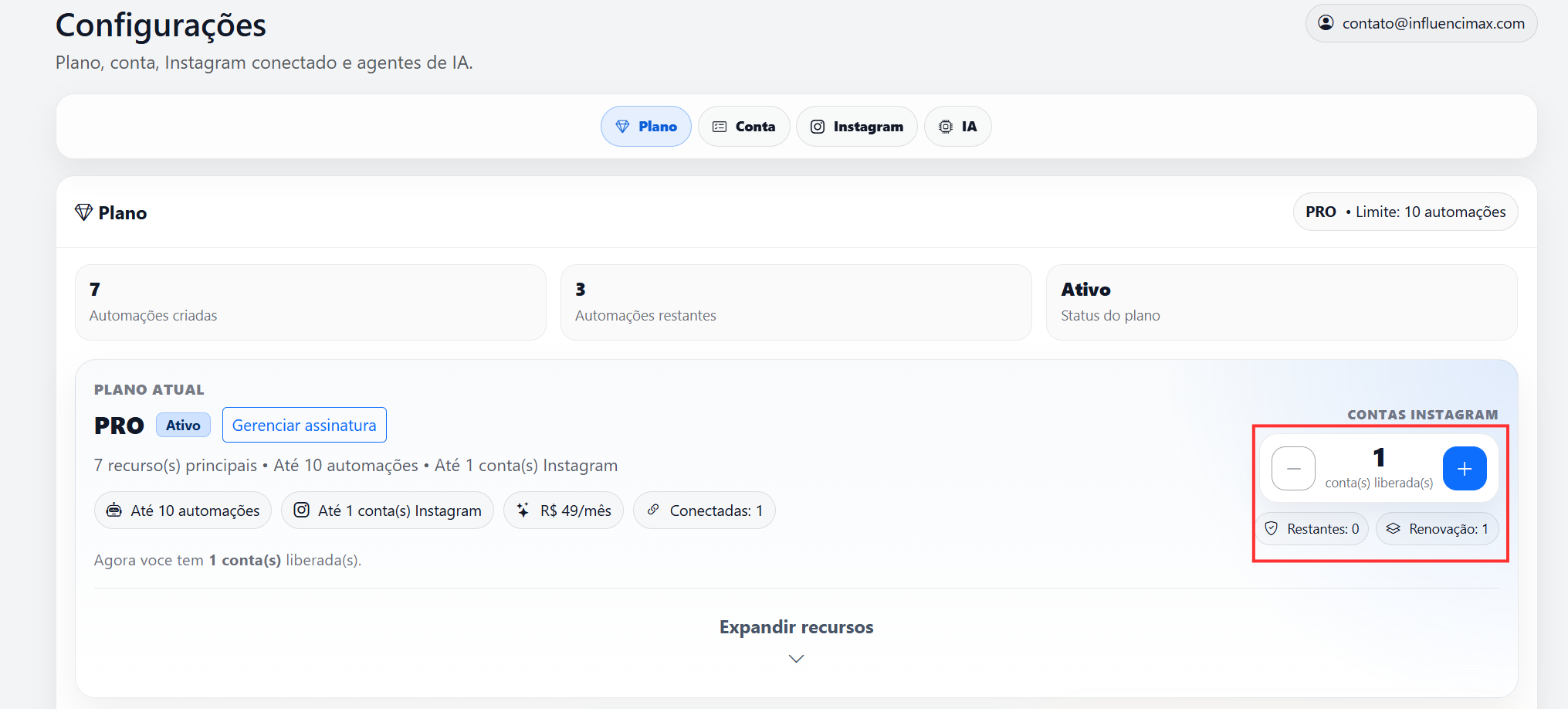
Then complete the authentication process normally to finish the connection.
After finishing, the new account will be available for use inside the platform.
Managing multiple accounts
Each connected account works independently.
This means each profile has its own:
- Automations;
- Flows;
- CRM;
- Contacts;
- Settings;
- Reports.
You can switch between accounts whenever needed.
How the discount by number of accounts works
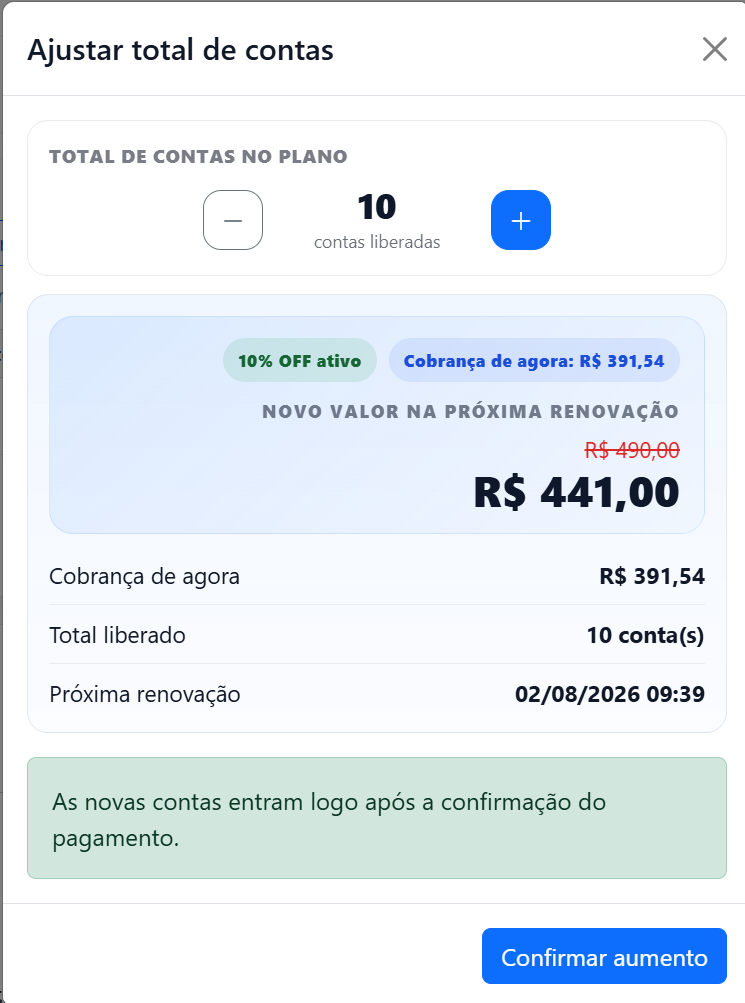
InfluenciMax applies discounts automatically according to the number of active accounts.
The discounts are:
- From 5 active accounts: 5% discount.
- From 10 active accounts: 10% discount.
The discount is calculated automatically and reflected in the next eligible charges.
Canceling one or more accounts
If you want to remove accounts from the subscription, you can choose exactly which accounts you want to cancel.
The remaining accounts will stay active normally.
How the billing adjustment works
When you cancel one or more accounts, the subscription amount does not change immediately.
The new amount will be recalculated automatically and applied only on the next charge, considering the number of accounts that remain active and the corresponding discount tier.
If something does not work
I cannot add a new account
Check whether:
- The Instagram account meets the connection requirements.
- You have administrative permission over the account.
- There were no interruptions during authentication.
The discount did not appear
Confirm whether:
- The minimum number of accounts for the discount tier has been reached.
- All accounts are active.
- The charge has already been recalculated for the next billing cycle.
The amount did not change after canceling an account
This is expected.
The subscription adjustment happens only on the next charge, when the system automatically recalculates the amount based on the number of active accounts.
Expected result
After configuring multiple accounts, you will be able to manage several Instagram profiles in a single InfluenciMax account. Volume discounts will be applied automatically according to the number of active accounts, and if any account is canceled, you will be able to choose which profiles to remove, with the amount adjusted automatically on the next charge.